

Skip to content

Guides and troubleshooting

Set up the bench, run a guided session, make the reports and sort out whatever does not behave, in the bench app, the web app and the phone companion.
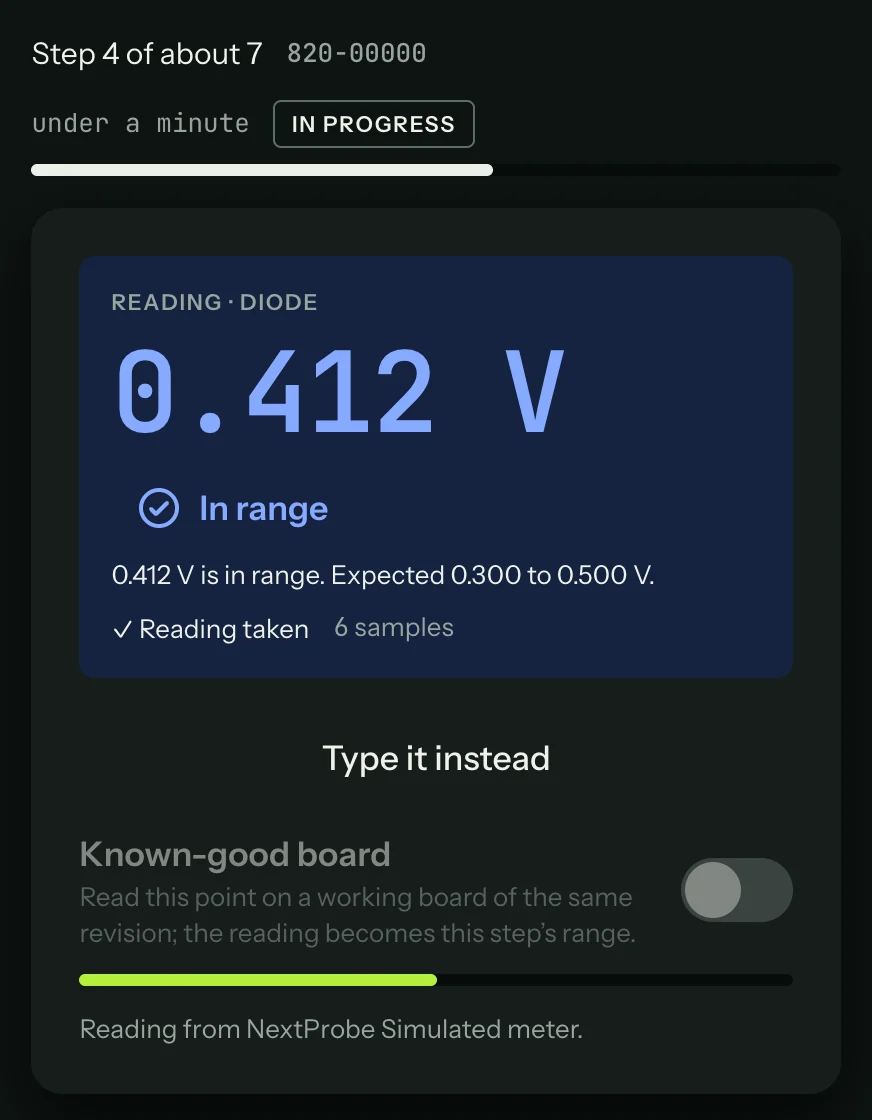
A reading taken on the bench, in range, with the countdown to the next step.

What a session looks like ​

The board on the left, with the red and black leads marked where they go. The step on the right: the meter mode, the power state, the two leads, why the reading matters and the range it should fall in. The meter's reading fills the panel at the top, and NextProbe takes it once it holds steady.
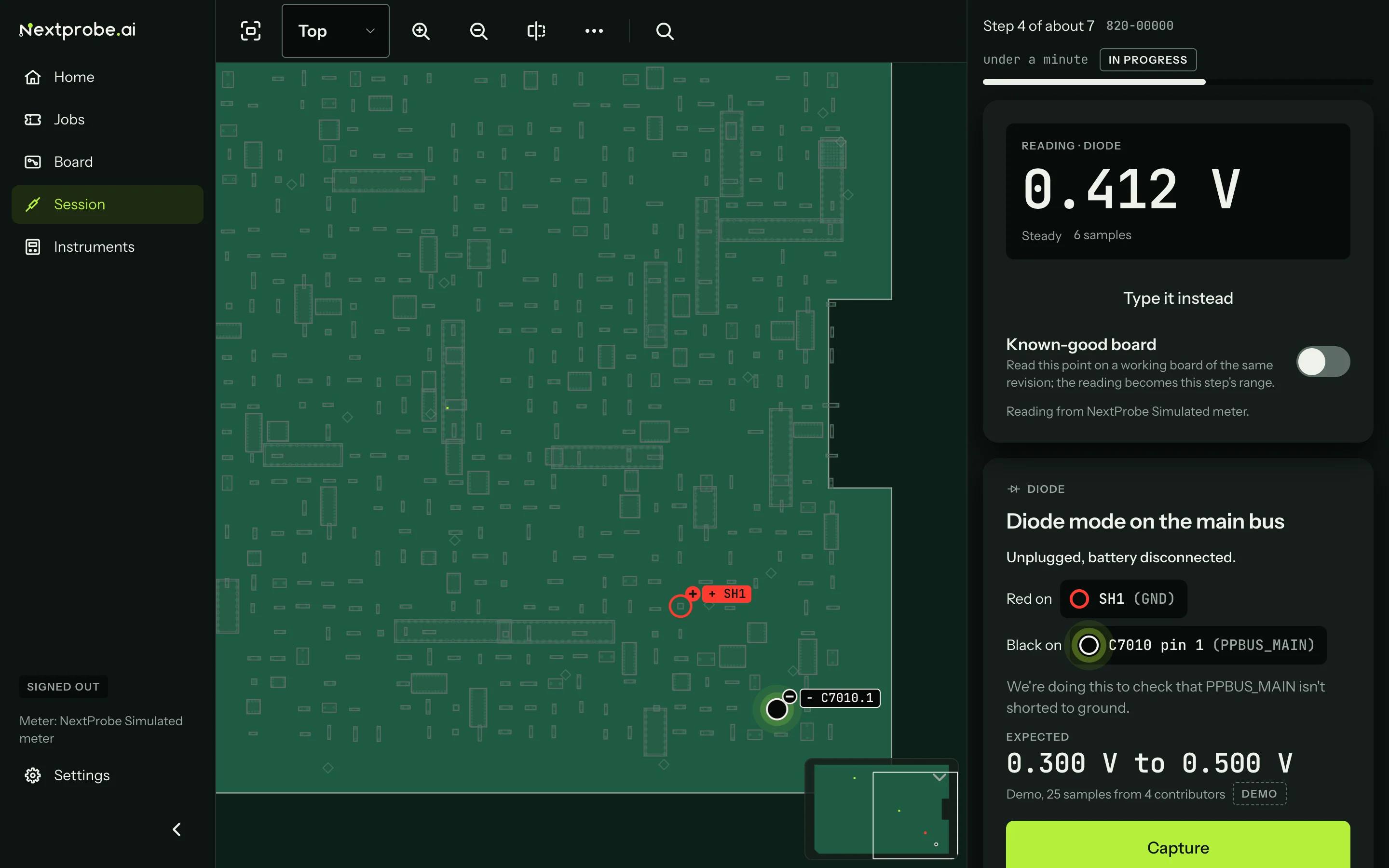
The bench app during a guided session: the leads marked on the board, the live reading and the step card.

  • The web app: sessions from every bench, jobs, reports and share links, your shop's benches and team, billing and your data.
  • The phone companion: a second screen beside the board, board photos and voice notes.
  • Settings: every setting on the bench, section by section.
  • FAQ: board files, meters, offline use, plans and what NextProbe will not do.
  • Get help: how to reach us and what to send.

Your board files never leave your computer.