

Appearance
Pick a board
Everything starts on Home with the board. NextProbe organises boards as device, model, board number and revision. The board number is the one printed on the board (820-00000 on the demo board).
Search
Type into the search at the top of Pick the board. It takes a board number, a model number from the case, or a name, and part of a number is enough: 820-0 lists every board starting that way.
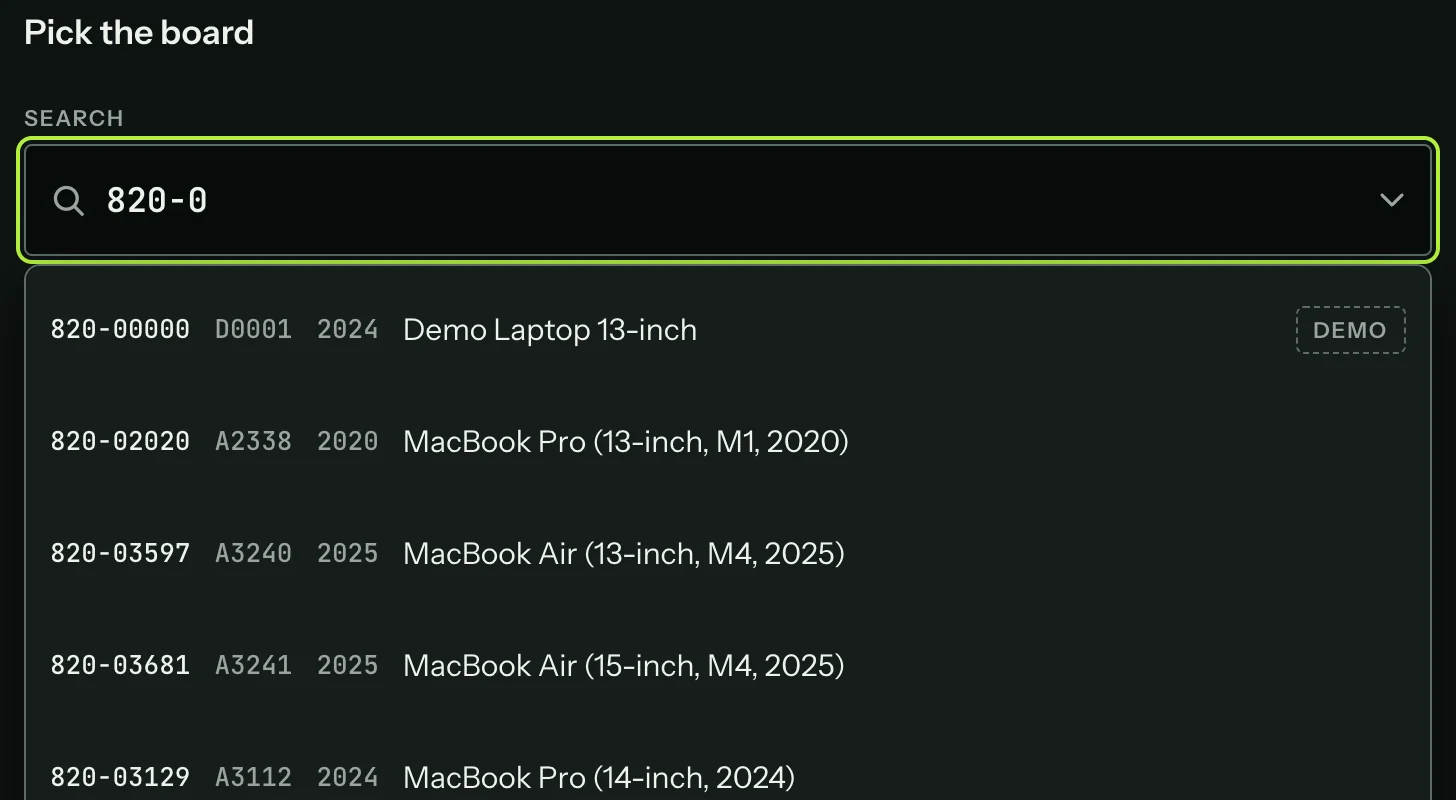
Each result shows the board number, the model number, the year and the device name. A badge marks boards that are not fully live: Demo for the demo board, and In review or Draft on a bench your workspace uses for reviewing new fault trees.
Pick a row with the mouse, or with the arrow keys and Enter.
Make, model and year
If you would rather walk to the board, use the three menus under "or choose the device": Make, then Model, then Year. The boards that match are listed underneath with how many known faults each has. Pick one. A board found through the search fills in the three menus too, so you can see where it sits.
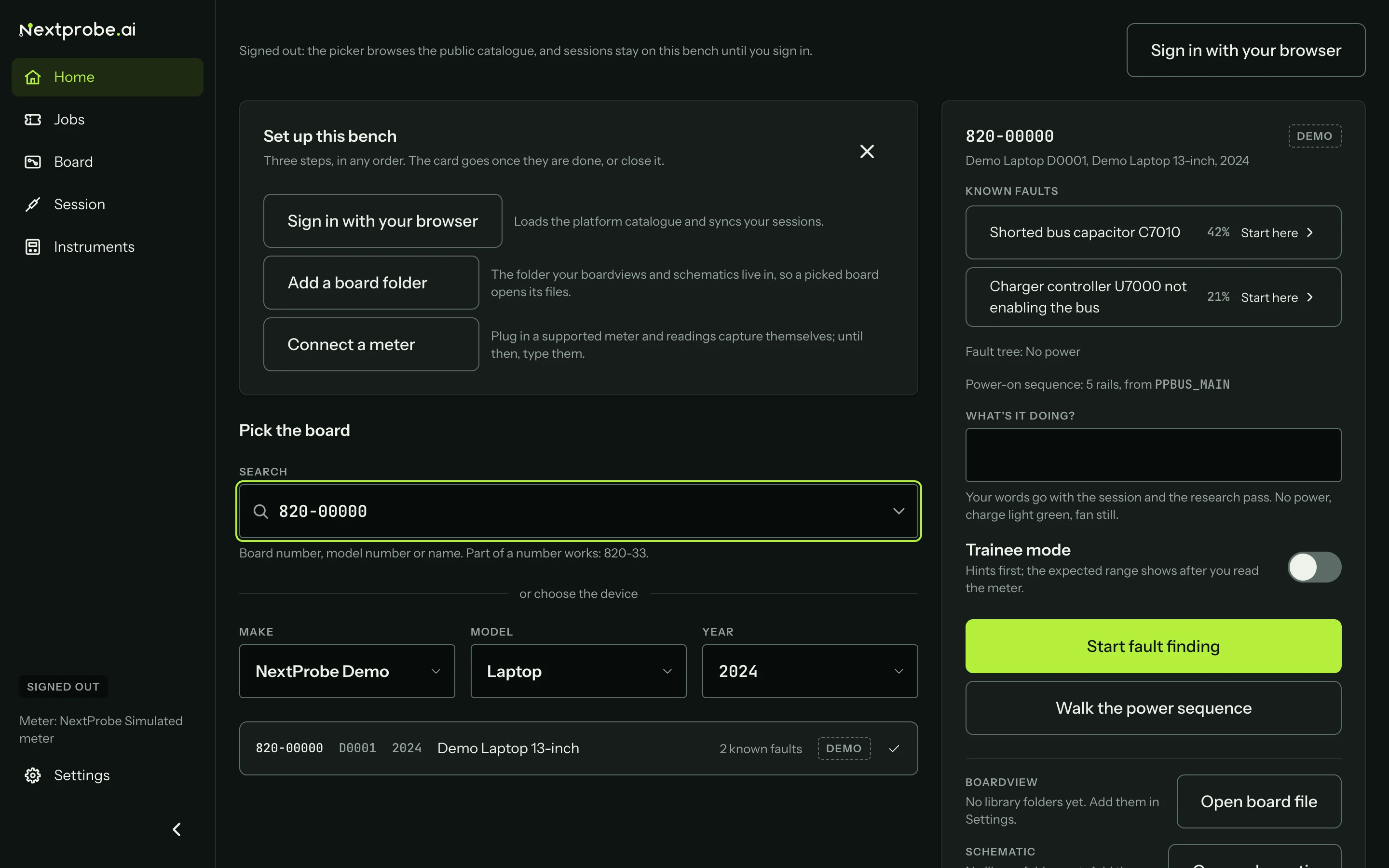
The board card
Picking a board opens its card on the right of Home. It is the place to decide how to start.
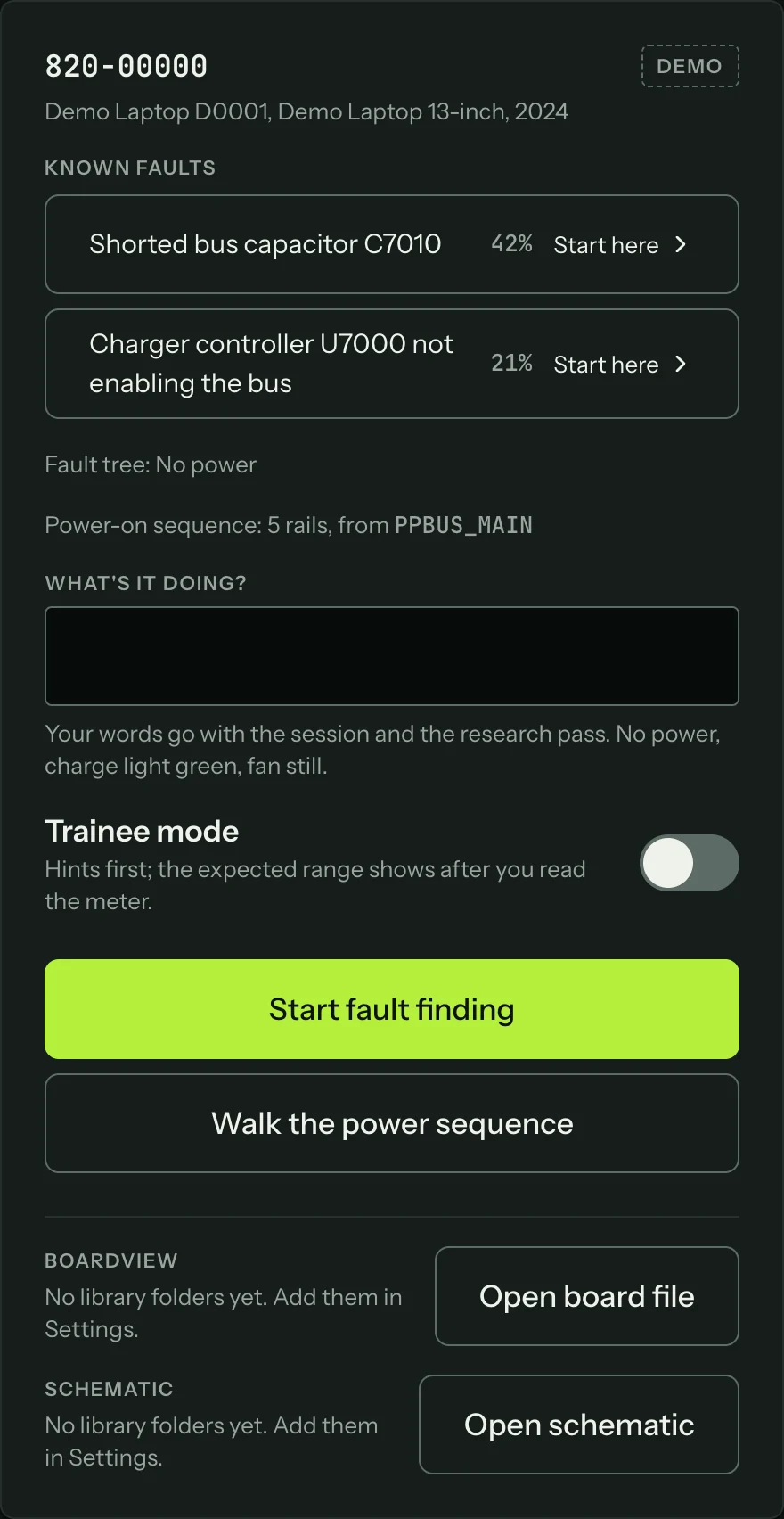
From the top:
- The board number and the device, with a status badge when the board is not fully live.
- Known faults, ranked by how often each was the fix on this board, with the share beside it. Start here on a known fault jumps straight to the step that tests that part. Use it when the symptoms point clearly at a common fault. If the fault has no guided tree yet, the session starts from the symptoms instead and says so.
- The fault tree the session will follow, and the power-on sequence when the board's profile documents one ("5 rails, from
PPBUS_MAIN"). - What's it doing? Type the symptoms in your own words: "No power, charge light green, fan still." They go with the session and help when the tree runs out.
- Trainee mode. With it on, each step gives hints first and shows the expected range only after you have taken the reading (Trainee mode). The bench remembers the switch.
- Start fault finding, the main action. It starts a session with the symptom questions.
- Walk the power sequence, which measures each rail in power-on order (Walk the power sequence).
- Boardview and Schematic, with the file the bench found for this board in your library folders, or an Open button.
If the bench is offline, the picker uses the boards it has seen before and says "From this bench's cache, last updated" with the date. A board you picked yesterday still picks, shows its profile and runs its fault trees.