

Appearance
Jobs
Jobs keep track of the devices in your shop, from the counter to collection. A job holds the customer, the device, what they say is wrong, the counter checklist, the parts you are waiting on, and every session run on it. Jobs and customers are kept on the bench, work offline, and sync with your workspace and the web app when the bench is signed in.
Jobs and customers belong to the workspace the bench was signed in to. If the bench is later signed in to a different workspace, it shows and syncs only that workspace's jobs; the others stay on the computer, out of sight, until it signs back in to theirs. Jobs booked in while the bench was signed out go to the first workspace it signs in to.
The Jobs screen
Jobs in the sidebar opens the list.
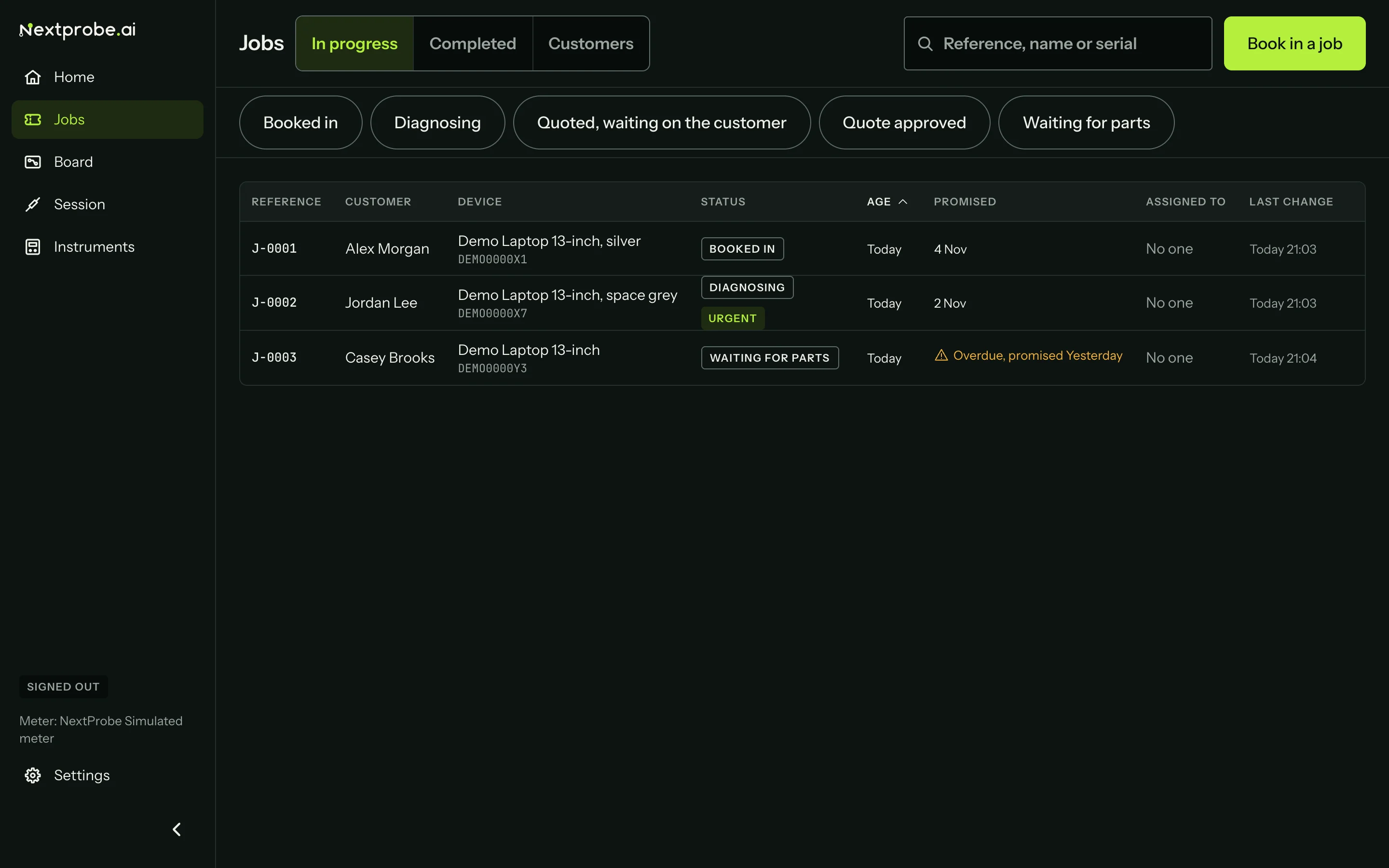
- The tabs at the top switch between In progress, Completed and Customers.
- The search filters as you type, across the job reference, customer name, phone number (however it is spaced), email, postcode, device and serial.
- The status chips under the toolbar narrow the list to the statuses you press. Press a chip again to drop it.
- Book in a job is the main action.
Each row shows the reference, the customer, the device and serial, the status, the age since booking, the promised date, who the job is assigned to and the last change. Urgent jobs and jobs whose part has arrived are marked beside the status. Once the promised date has passed, the row says "Overdue" with a Check triangle. Age, Promised and Last change sort the list. In progress opens with the oldest job first; Completed opens with the most recent change first.
The bench remembers the tab, search, chips, sort and scroll position while you look at a job, so coming back puts you where you were.
| In progress statuses | Completed statuses |
|---|---|
| Booked in | Fixed |
| Diagnosing | Ready to collect |
| Quoted, waiting on the customer | Quote declined |
| Quote approved | Unrepairable |
| Waiting for parts | Returned unrepaired |
| Collected |