

Appearance
Meters and supplies
NextProbe works with any meter. A supported meter on USB streams its readings to the bench, so readings take themselves; any other meter works through manual entry, where you type what it shows. A bench power supply on USB adds live volts and amps beside the step and records the board's boot current.
The Instruments screen
Instruments in the sidebar lists everything the bench knows about, grouped by what matters at the bench:
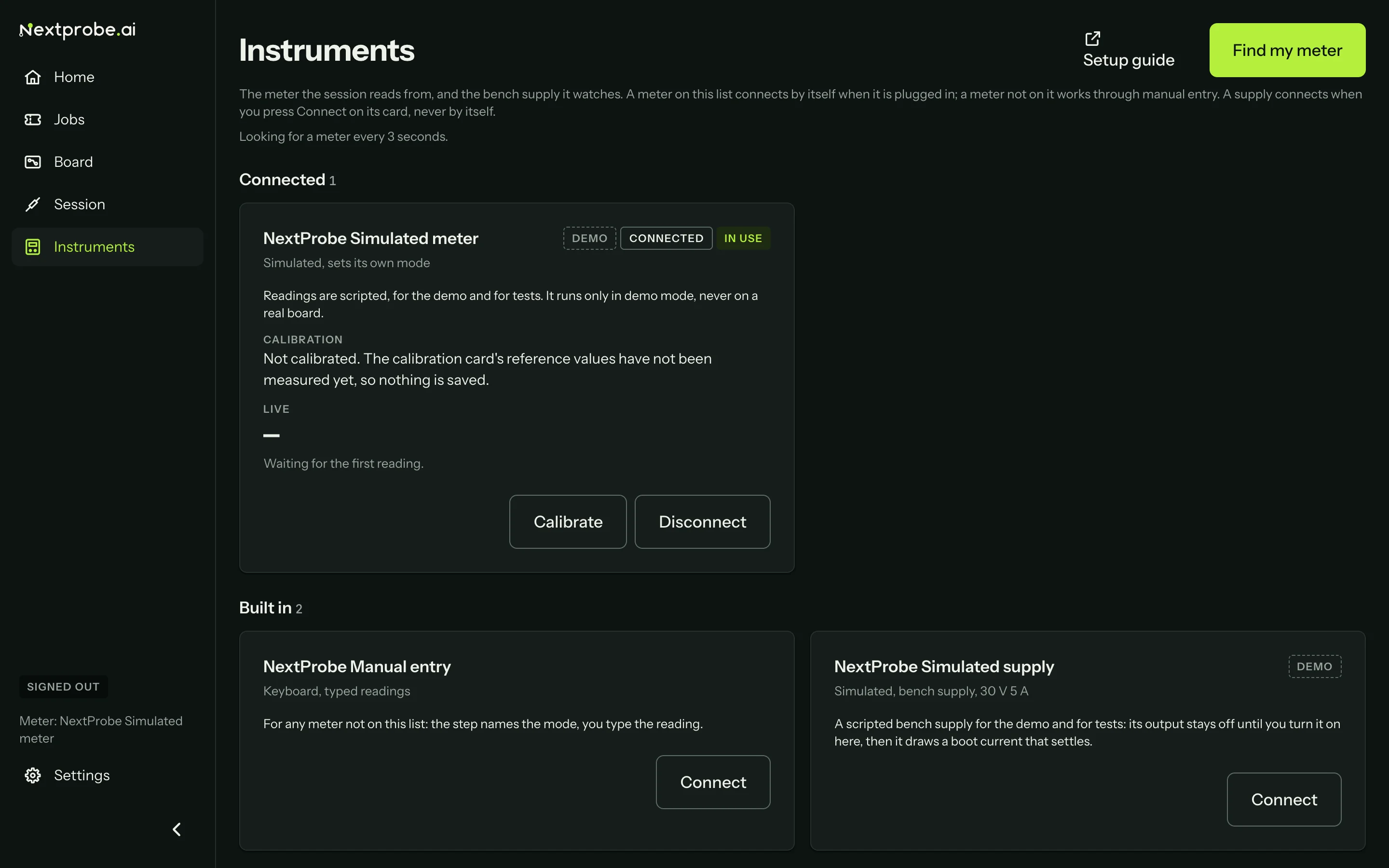
| Group | What is in it |
|---|---|
| Connected | Instruments the bench is talking to. The meter the session reads from is marked In use. |
| Plugged in | Instruments on a USB port that are not connected yet. |
| Supported | Every model NextProbe has a driver for, plugged in or not. |
| Built in | Manual entry, and the simulated meter and supply used by the demo. |
While no meter streams, the bench looks for one every 3 seconds ("Looking for a meter every 3 seconds"). Find my meter looks straight away. Setup guide opens the meter guides on nextprobe.ai.
Each card has one line on what to plug in and what to set on the meter. A Tested badge means we have bought that model and run it through our arrival test plan on our own bench. Models without the badge have a driver written to the maker's protocol but have not been through a bench test yet.
The meter's card
A connected meter's card shows:
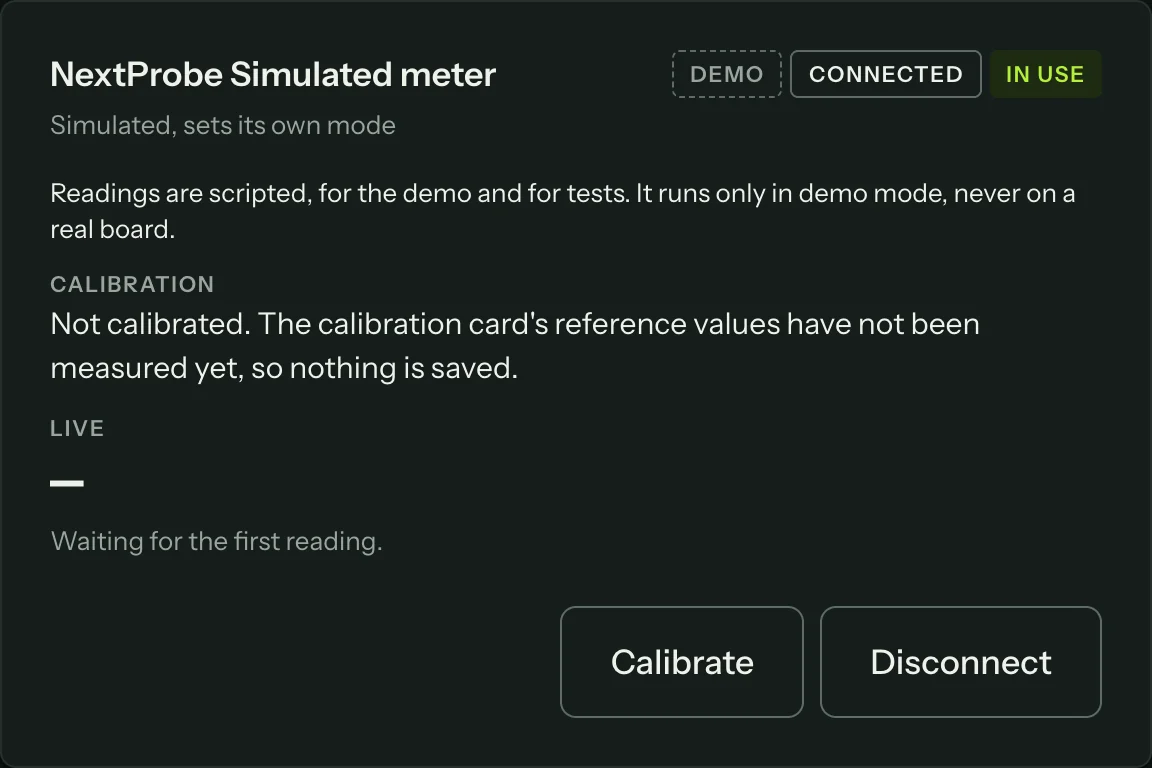
- Its serial number and firmware, when the meter reports them.
- A live reading in whatever mode it is in, with a check you can do by touching the leads together.
- The range and rate the meter reports.
- Its calibration (see below).
- Calibrate and Disconnect.
If a connection fails, the card says why in plain words (the port is busy, the bench has no permission, the meter went away, or it is a different instrument) with Try again and a link to the setup guide. If a meter's stream stops with a fault while connected, the card shows the fault with Reconnect, and the session falls back to typed readings until it is back.
The simulated meter and supply
The simulated meter and the simulated supply are for the demo and for learning the screens. They give scripted readings, run only in demo mode (signed out, on the demo board) and never on a real board.
Something not working?
See Troubleshooting: meters, or get help.