

Appearance
Boards in the web app
Boards is the board picker and the board profiles. Type a board number, a model number or a name into Search (part of a number works, for example 820-33), or choose the device by Make, Model and Year.
Picking a board opens its profile. The profile is what NextProbe knows about the board before you open a case:
- Identity: board number, device, model, model number, year and revision.
- Revisions: the revisions on record, with the current one marked.
- Rails and power sequence: each rail in the order it comes up, with its nominal voltage and what it feeds.
- Key ICs: reference, part number, marking code and role, with Find datasheet.
- Connector pinouts: expected readings at connector pins, with the mode and where the figure came from ("Demo, 25 samples from 4 contributors").
- Known faults: ranked by how often each fix has been recorded on this board, with the symptoms, the fix, the parts and a link to run the matching fault tree.
- Donors and sister boards: boards that can donate parts, and boards that share circuits with this one.
- Fault trees: the guided flows that run on this board, each with Start.
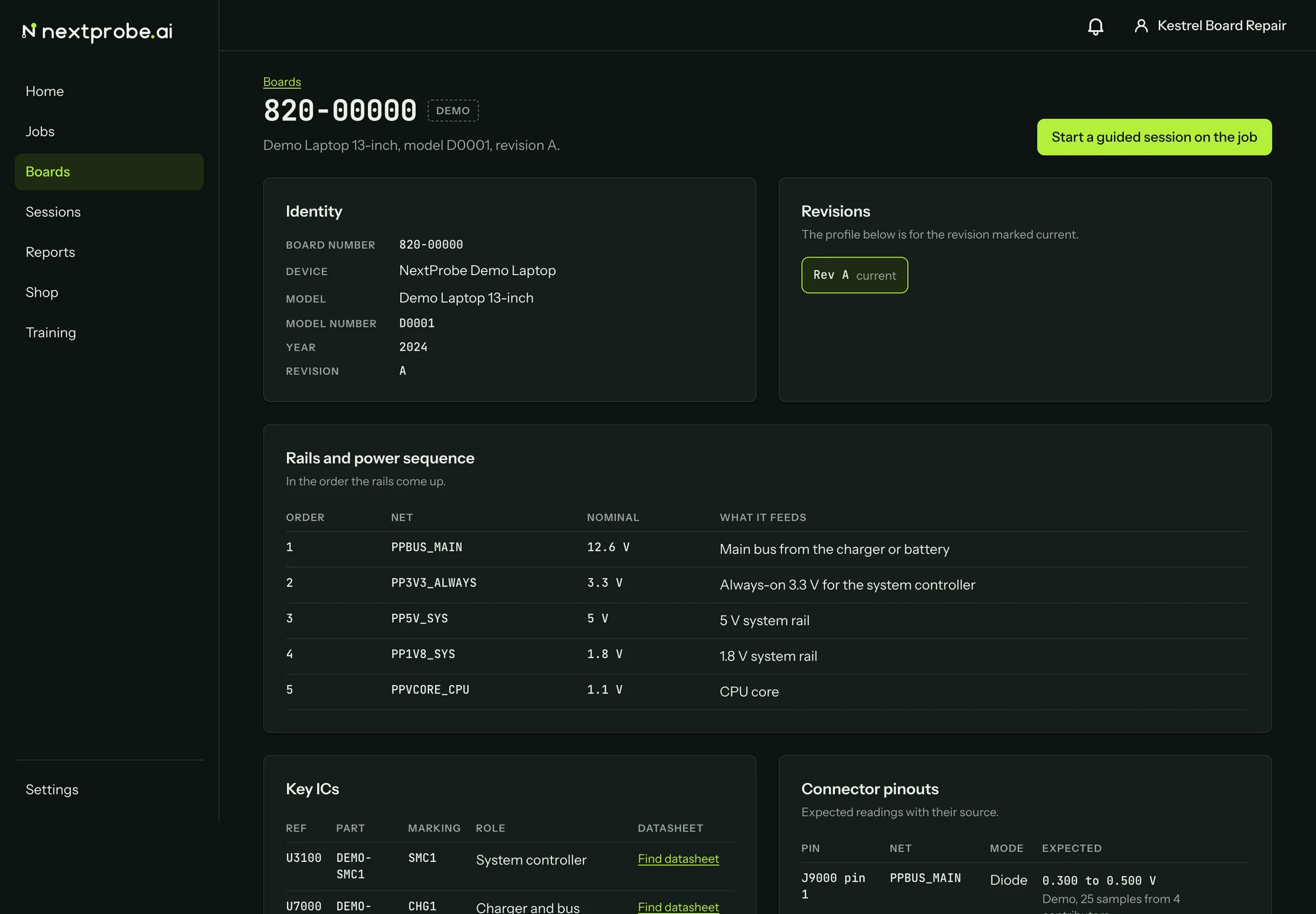
Start a guided session, at the top right, opens the lite bench on this board. When you came to the board from a job, the button reads Start a guided session on the job and the session is filed under that job. A board with no published fault tree says "No fault tree on this board yet" in place of the button.