

Appearance
Shop, benches and team
Shop is where the owner looks after the workspace.
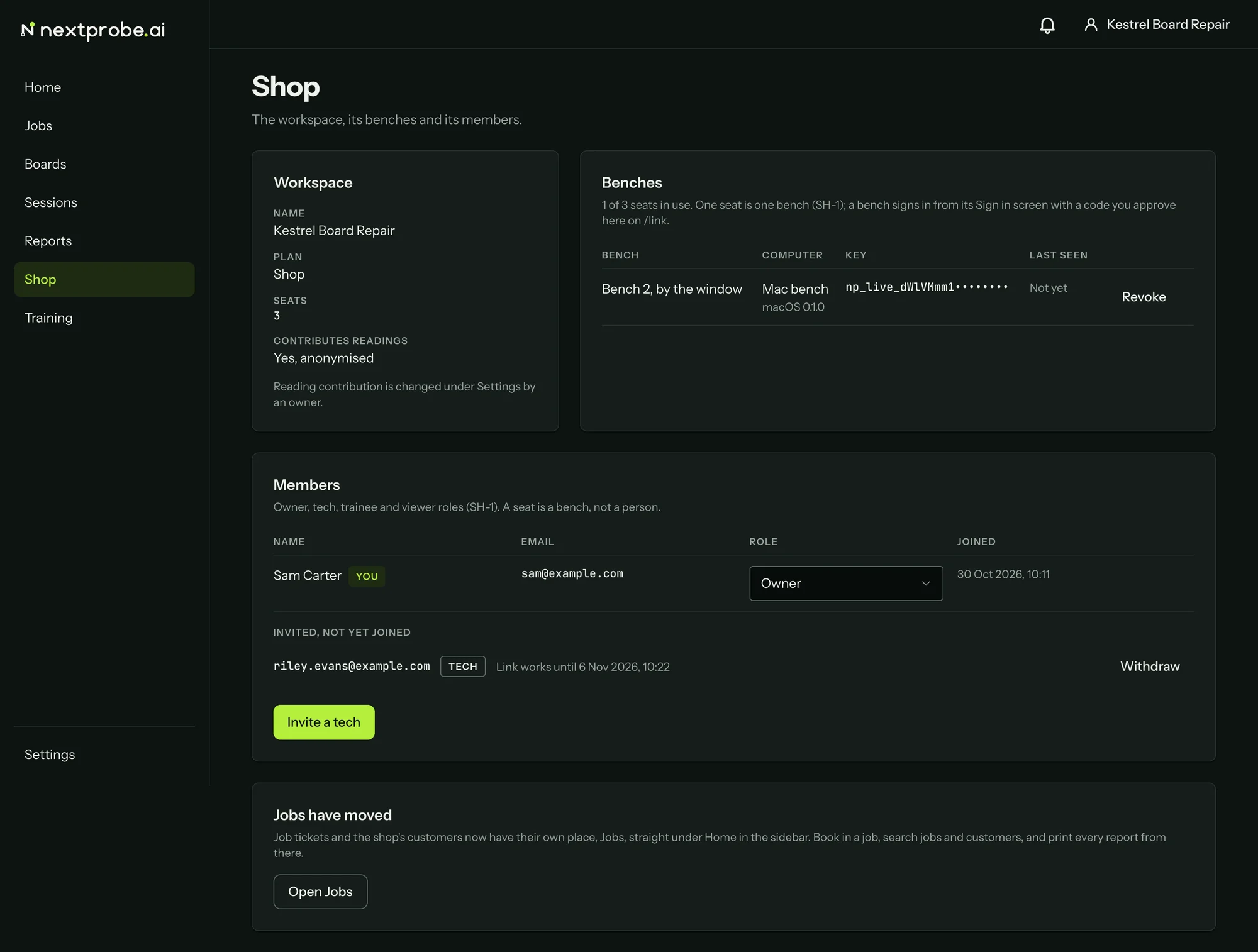
Workspace
The workspace's name, plan, seats and whether it contributes readings. Reading contribution is changed under Settings by an owner.
Benches
One seat is one bench. Each bench signed in with a browser sign-in is listed with its name, the computer and system it runs on, its key (by prefix only) and when it was last seen. Revoke signs that bench out at its next request; the dialog asks "Sign {bench} out?" with Keep it and Revoke. Use it for a lost laptop or a bench being retired. Keys you made by hand under Settings are listed there instead.
Members and roles
Every person in the workspace has one role:
| Role | What they can do |
|---|---|
| Owner | Everything, including members, keys and billing. |
| Tech | Runs sessions, books in jobs and makes reports. |
| Trainee | Runs sessions in trainee mode; reads the rest. |
| Viewer | Reads sessions, jobs and reports. |
An owner changes someone's role from the list, or removes them with Remove. A seat is a bench, so people cost no seat.
To add someone, press Invite a tech, type their email, choose the role and press Send the invitation. They get an email with a link that works for seven days. Until they join, the invitation is listed under "Invited, not yet joined" with Withdraw.
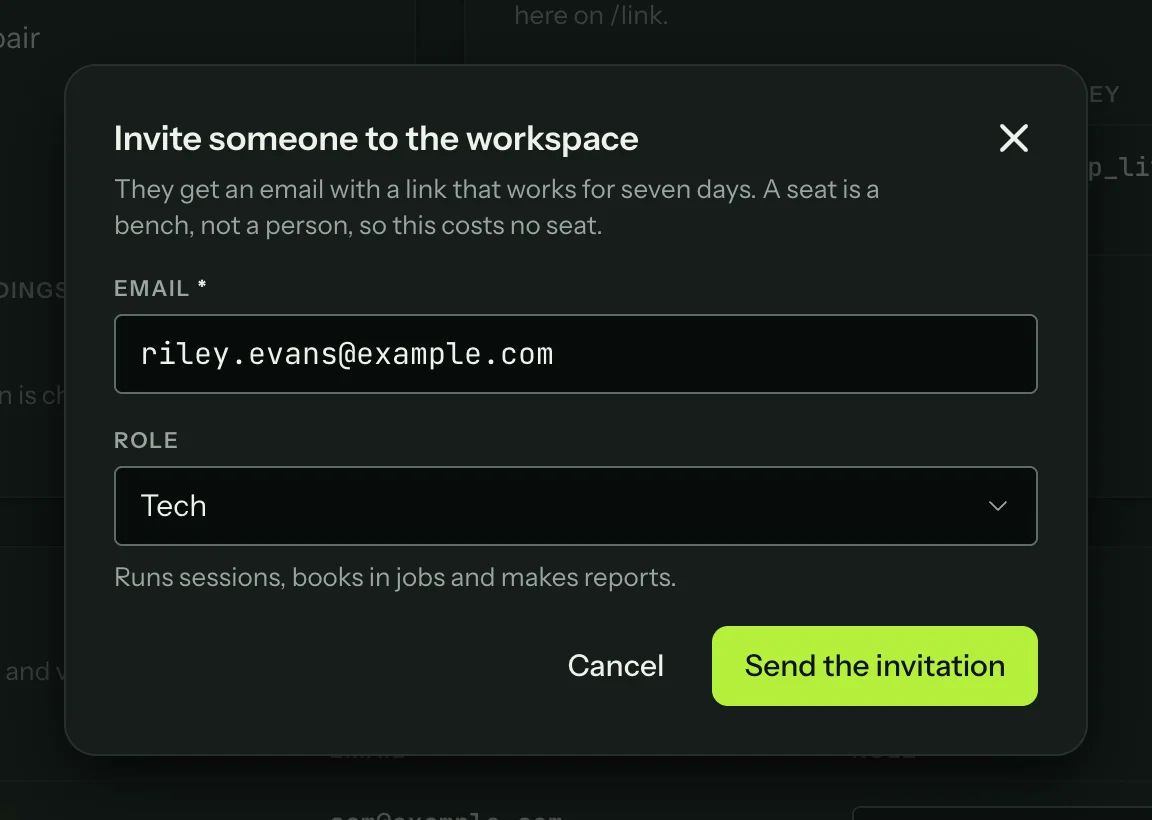
The person who receives the invitation opens the link, signs in or creates an account, and presses the Join button, which carries your workspace's name. A link that has run out says "This invitation has expired"; one you withdrew says it was withdrawn. Send a new invitation in either case.