Appearance
Sessions in the web app
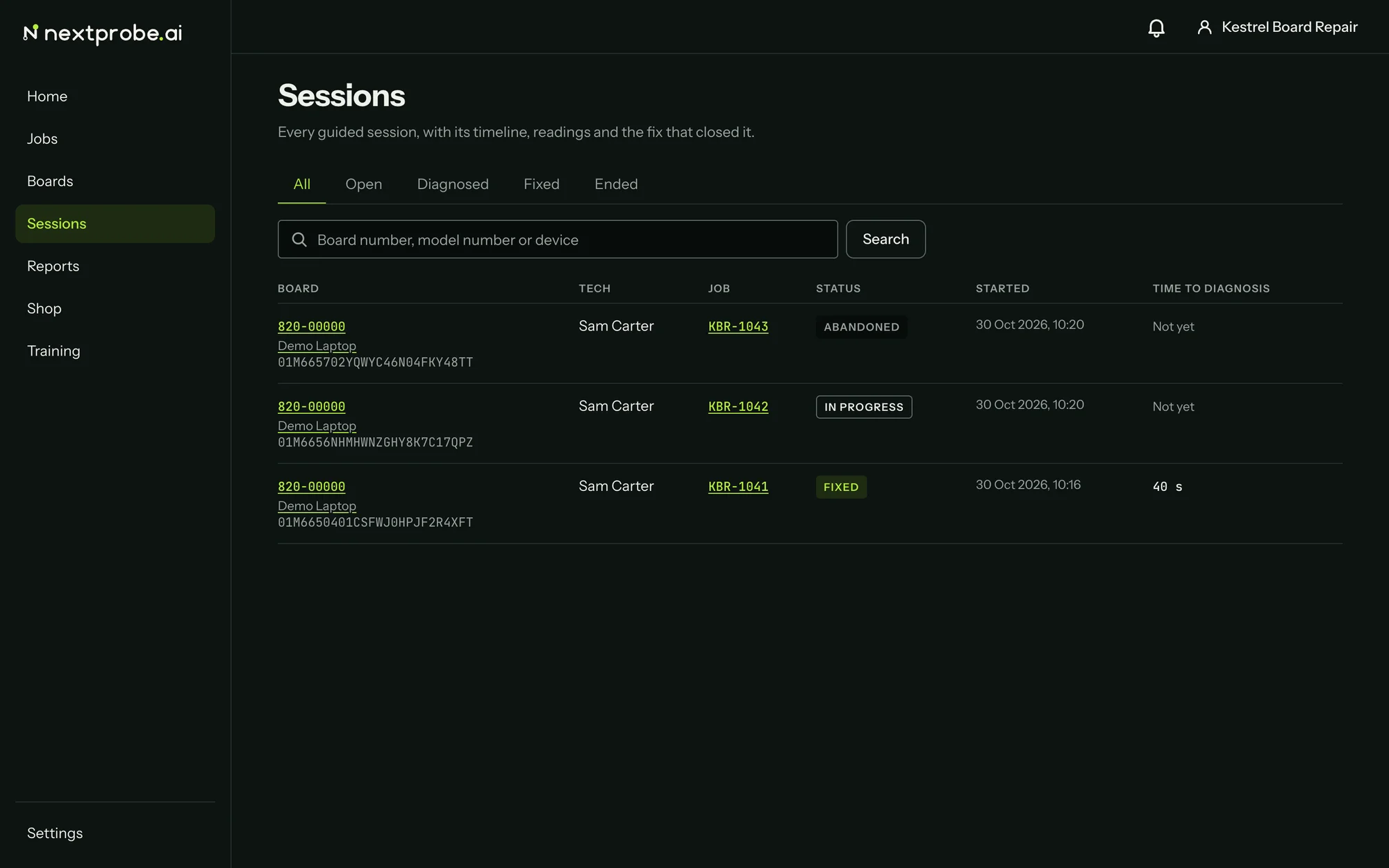
Sessions lists every guided session in the workspace, from every bench and the lite bench, newest first. The tabs filter by status: All, Open, Diagnosed, Fixed and Ended. Search takes a board number, a model number or a device name. Each row shows the board, the tech, the job, the status, when it started and how long it took to reach a diagnosis.
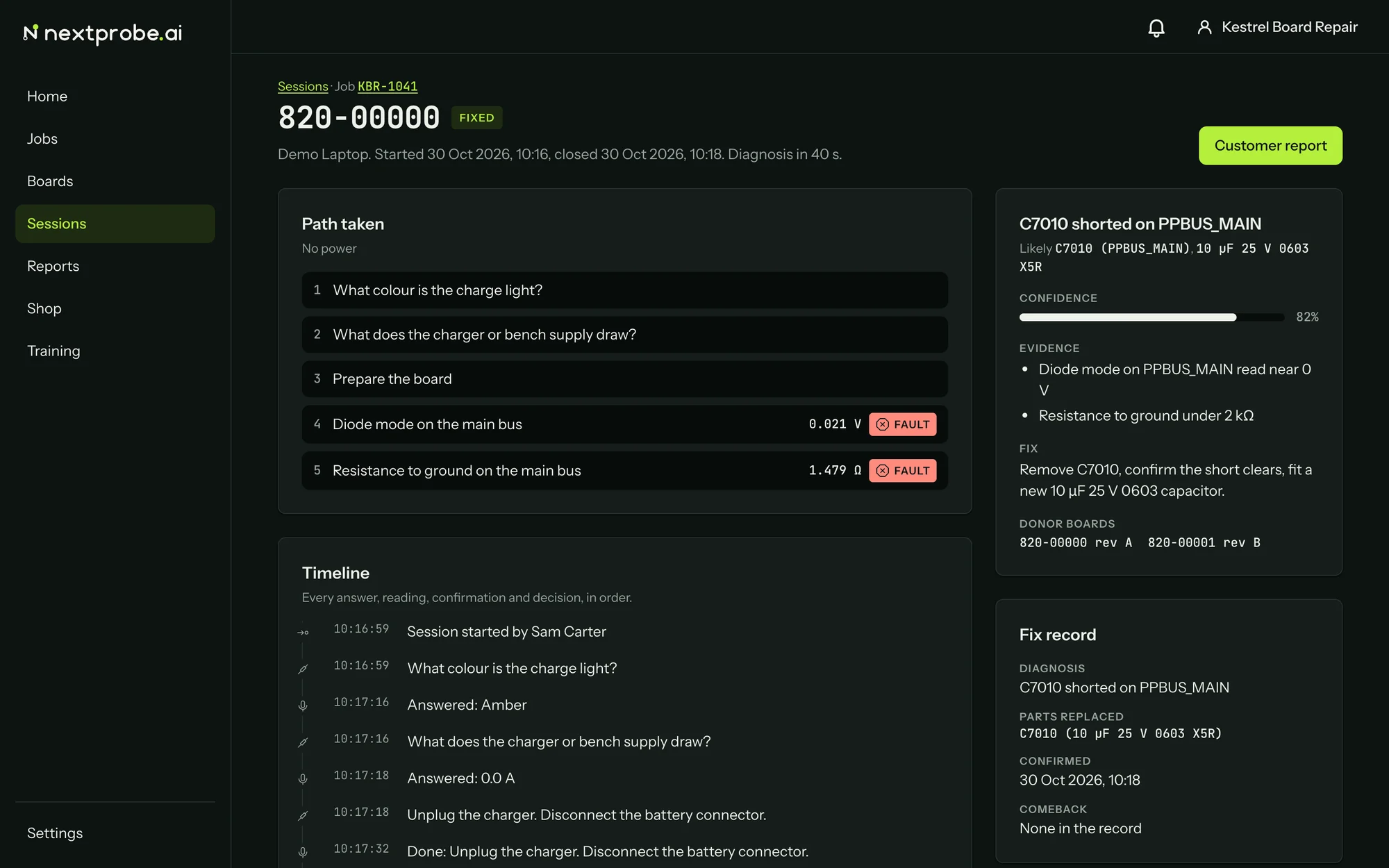
Open a session to see the whole record:
- Path taken: each step in order, with the reading and its verdict on measure steps.
- Timeline: every answer, reading, confirmation and decision, with the time.
- The diagnosis card and the Fix record (the parts replaced, when the fix was confirmed, and whether the board came back).
- Export: CSV or JSON of the whole session, with readings in base units, for your own records or shop software.
At the top right, Resume on the bench appears while the session is open. A closed session shows Customer report there instead.