

Appearance
Keyboard shortcuts
Press ? on the Board screen, or open Settings → About → Keyboard shortcuts…, to see this list in the app, with the keys shown for your computer.
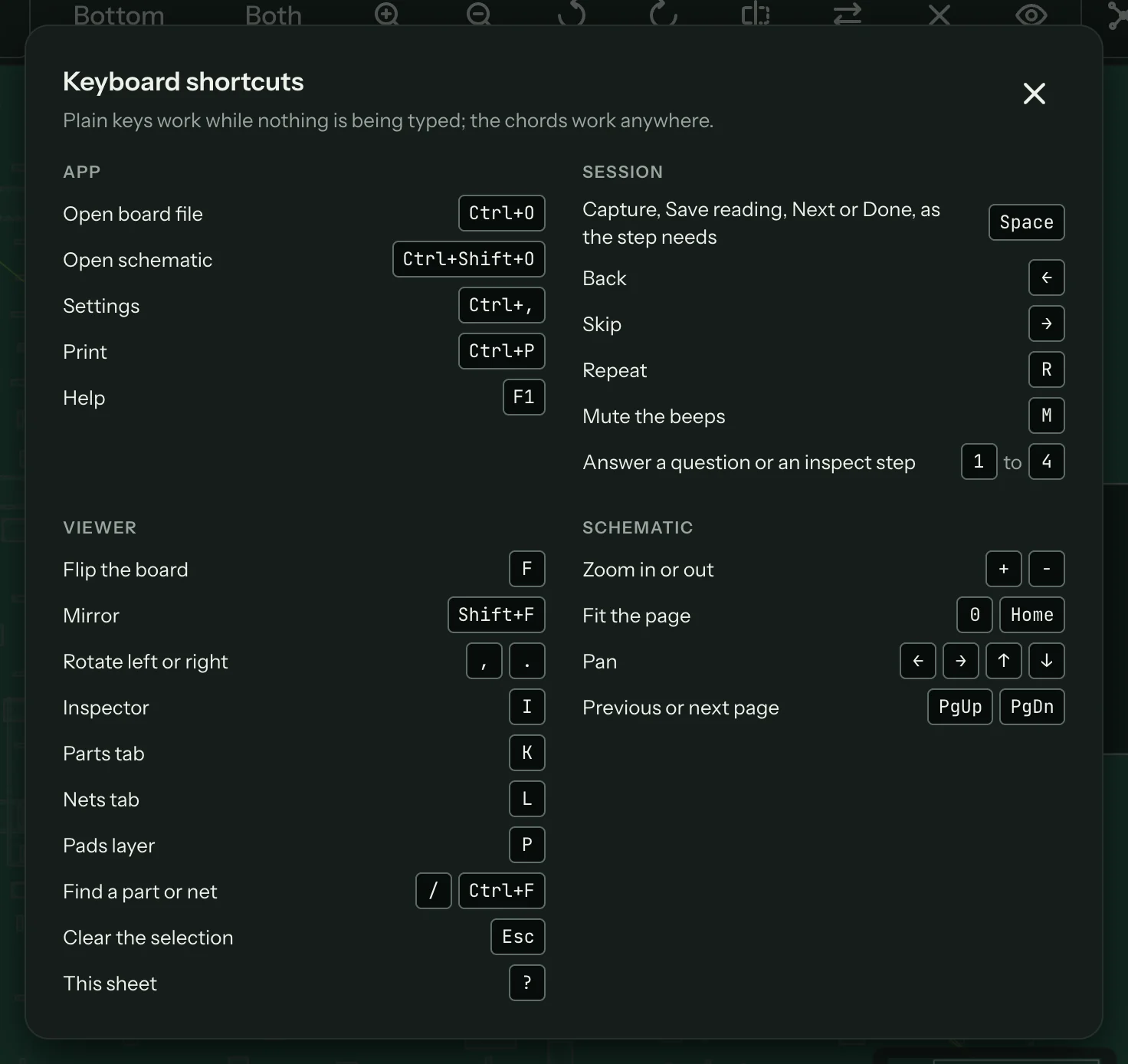
Plain keys work while nothing is being typed; the chords (with ⌘ or Ctrl) work anywhere. On a Mac, read Ctrl as ⌘ in the first table. Some keys also depend on where the focus is, as each table says. If a key does nothing, click the board (or an empty part of the screen) and press it again.
App
| Action | Mac | Windows |
|---|---|---|
| Open board file | ⌘O | Ctrl+O |
| Open schematic | ⇧⌘O | Ctrl+Shift+O |
| Settings | ⌘, | Ctrl+, |
| Help | F1 | F1 |
| Print what is on screen | ⌘P | Ctrl+P |
Session
| Action | Key |
|---|---|
| Capture, Save reading, Next, Done or the first answer, as the step needs | Space or Enter |
| Back | Left arrow |
| Skip | Right arrow |
| Repeat | R |
| Mute or unmute the beeps | M |
| Pick an answer on a question or inspect step | 1 to 4 |
| Capture (tap) or talk (hold) | V, or the pedal |
Space and Enter work while nothing in particular has focus. When a button, link or other control has focus, they press that control instead, the way they do in any app; click an empty part of the screen to hand them back to the session.
Board viewer
Pan, zoom, fit and Esc need the board itself focused: click the board first. Flip, mirror, rotate, the pads layer, find and ? work while the focus is anywhere in the board panel, or nowhere in particular. I, K and L work from anywhere except a text field.
| Action | Key |
|---|---|
| Pan | W, A, S, D |
| Zoom in or out | + and − |
| Fit the board | 0 |
| Flip the board | F |
| Mirror | Shift+F |
| Rotate left or right | , and . |
| Show or hide the inspector | I |
| Parts tab | K |
| Nets tab | L |
| Pads layer | P |
| Find a part or net | / (or ⌘F on a Mac, Ctrl+F on Windows, with the board focused) |
| Clear the selection | Esc |
| This list | ? |
The arrow keys don't pan the board, so they stay free for Back and Skip on the session screen.
Schematic
| Action | Key |
|---|---|
| Zoom in or out | + and − |
| Fit the page | 0 or Home |
| Pan | Arrow keys |
| Previous or next page | Page Up, Page Down |