

Appearance
Voice commands
With voice commands on, you hold the pedal or a key, say a command, and let go. The speech is recognised on your computer.
Turning on voice commands
- Open Settings → Voice, and turn on Voice commands.
- A screen explains why NextProbe needs the microphone, with one Continue button. Press it, then allow the microphone in the system's prompt.
- The speech model downloads once (31 MB). The bench checks the download before it uses it.
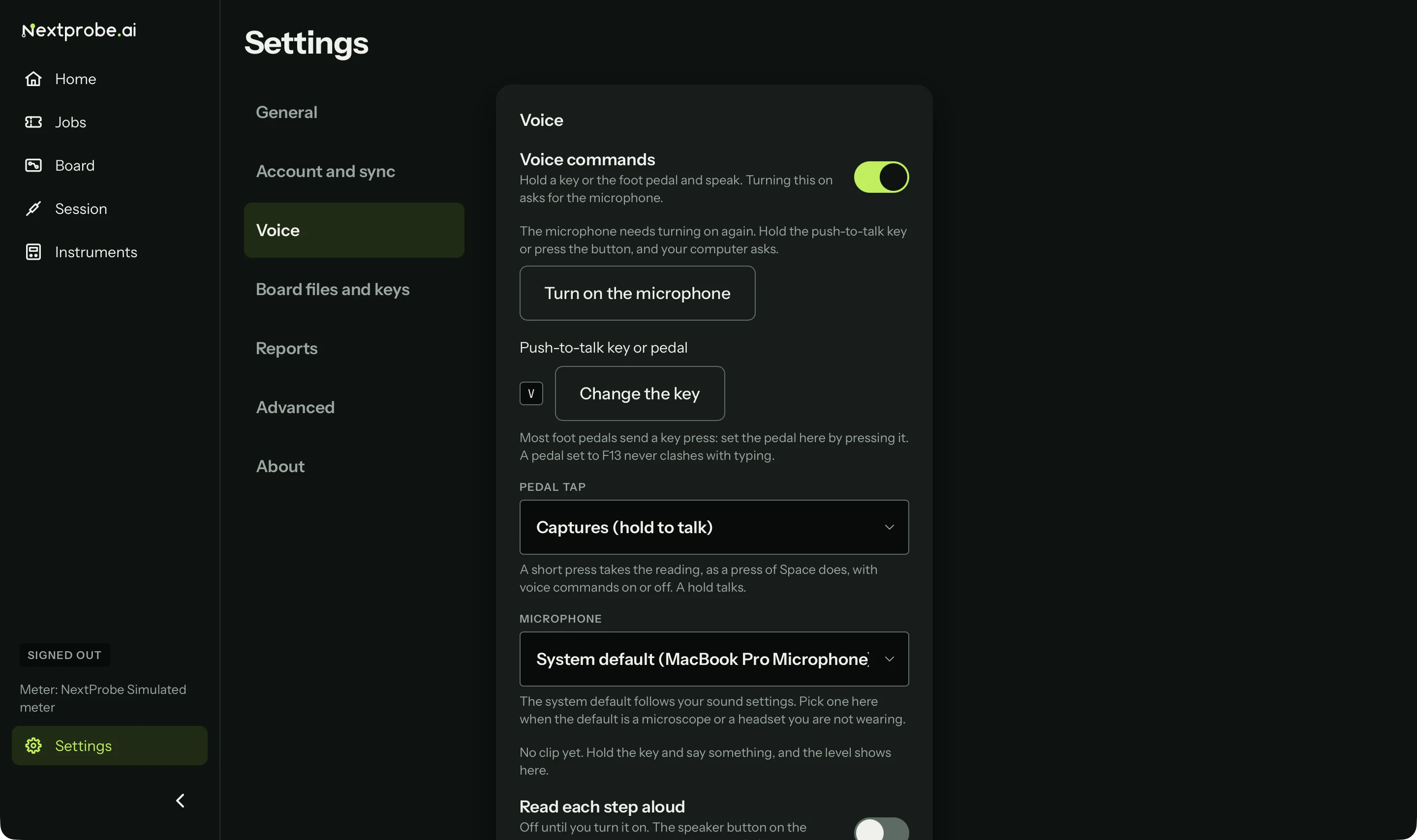
If the computer later withdraws the permission (after a system update, for example), Settings → Voice, says "The microphone needs turning on again" with a Turn on the microphone button. Press it, or hold the push-to-talk key, and allow the microphone when the system asks.
The bench uses your computer's default microphone unless you choose another in Settings → Voice. If the chosen one is unplugged, it falls back to the default. Settings also shows the device and level of the last thing it heard, so a wrong input is easy to spot.
Talking to the session
Hold the pedal (or V) and say a command, then let go:
| Say | What happens |
|---|---|
| "next" | Moves on straight away when a reading has been taken and is counting down to the next step. Done on an action step. On a measure step with no reading yet it takes nothing and says "No reading yet. Say capture, or skip." |
| "back" | Back a step. |
| "repeat" | Takes the step again. |
| "capture" | Takes the reading now, on a measure step. |
| "skip" | Skips the step. |
| "say again" | Reads the step out again. |
| "quiet" | Stops the bench speaking. |
| "where is it" | Brings the lit point back into view on the board, or on an inspect step says where the part is. |
| An answer's words | Picks that answer on a question: "green", "no light", "don't know". When voice is on, the words each answer listens for are shown on the card. |
| "note", then the note | Adds a note to the session: "note, replaced C7010". |
| "ask", then a question | Puts the question into Ask about this board (Ask about this board). |
| A reading | On a step where you type the reading: "zero point four one two", "one point two k", "four hundred and twelve millivolts", "O L". |
A reading said aloud goes into the typed-reading field and is read back to you. Say "capture", press Space or tap the pedal to save it, so a misheard number is caught before it gets a verdict. Digits and short forms work best ("0.412 volts", "one point two k"); a long number in words can get cut short.
The voice bar under the step card shows what the bench heard, what it did with it, and how long it took. If it didn't understand, it says so out loud as well as on screen.
Voice never confirms a power state or clears a safety check. That always needs a press of the button.
Push-to-talk works while the NextProbe window is in front. There is no wake word yet.
Dictated notes
A note said with "note" is written down by the same speech model on your computer. It works well in a quiet room and less well beside an extractor fan. Check the note on the timeline, and type it instead when the bench is noisy.