

Appearance
Bench power supplies
A bench power supply on USB shows its live volts and amps beside the step, records the board's boot current, and helps answer the current-draw question. NextProbe drives the Korad KA3005P family:
| Supply | Notes |
|---|---|
| Korad KA3005P, KD3005P | 30 V, 5 A |
| Tenma 72-2540, 72-2535 | Korad family |
| Velleman PS3005D | Korad family |
| RND 320-KA3005P | Korad family |
A supply never connects by itself, because connecting locks its front panel. Plug its USB port into the computer and press Connect on its card. The front panel unlocks about 20 seconds after Disconnect.
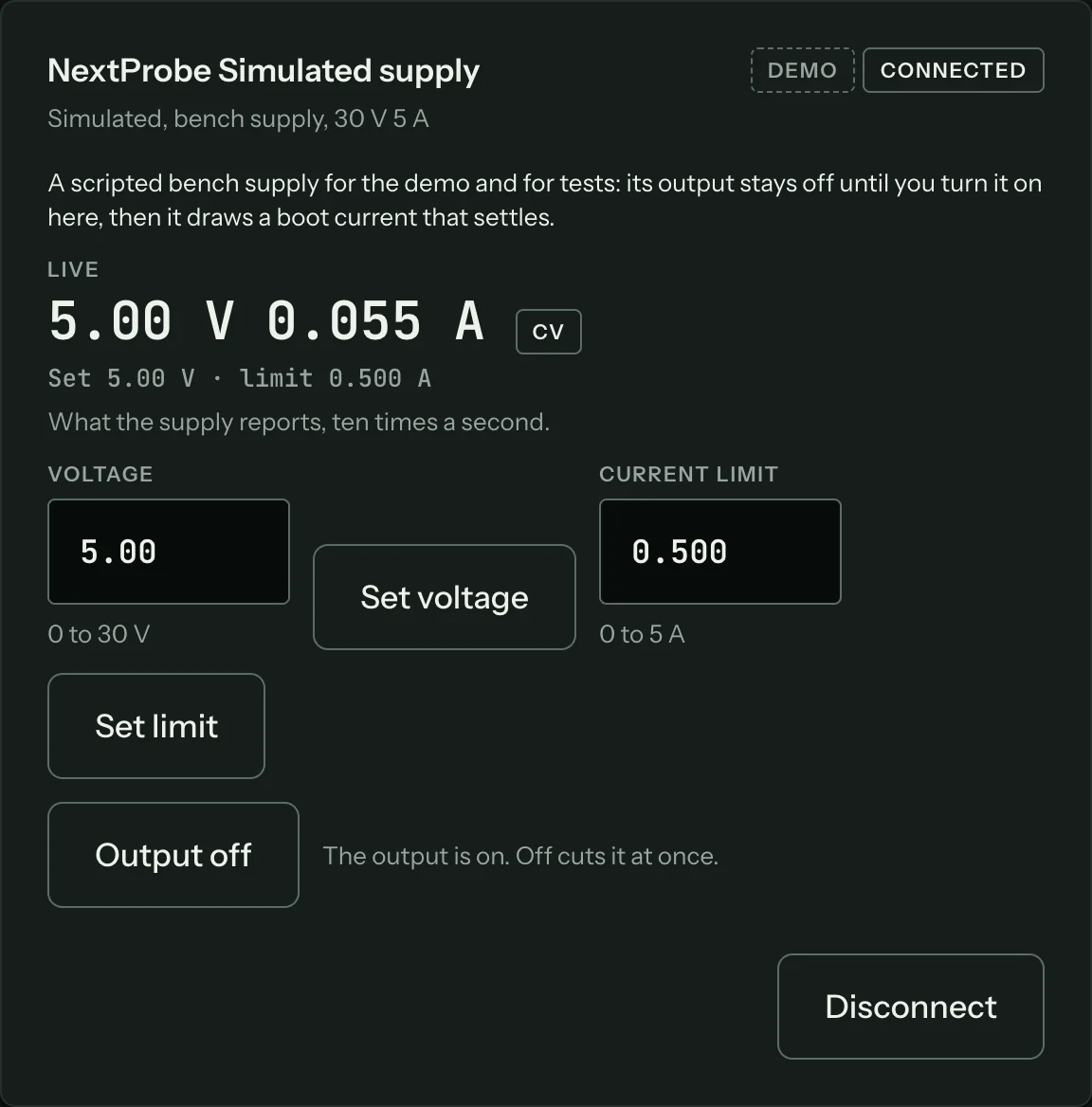
A connected supply's card shows the live voltage and current, whether it is in constant voltage (CV) or constant current (CC), and the set points the supply will enforce. Type a voltage and press Set voltage, type a current limit and press Set limit. A value beyond what the model can give is refused before it reaches the supply.
Output on asks you to confirm first, naming the voltage and the limit, and reminding you to check the leads are on the right rail and the board is set for bench power. Output off cuts the output at once, with no question. The bench never raises a voltage or turns the output on by itself.
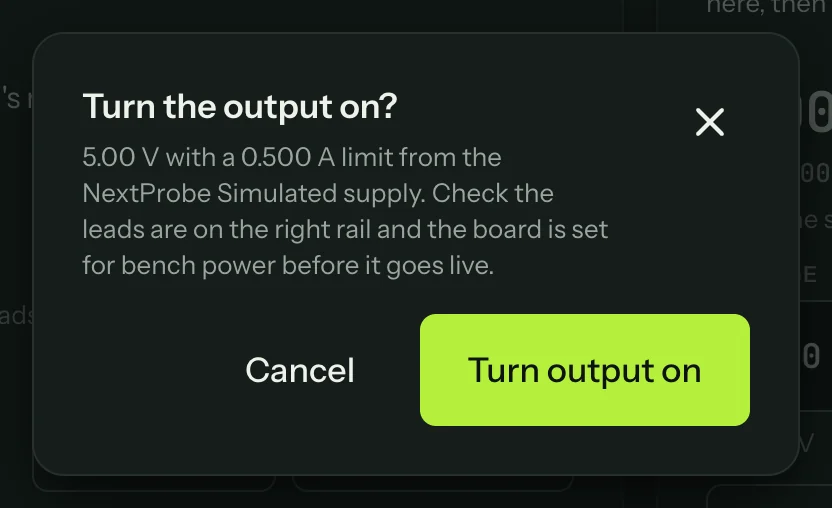
The supply during a session
While a session runs, the supply's figures show above the step whenever a powered step is up, the output is on, or the step asks what the board draws.
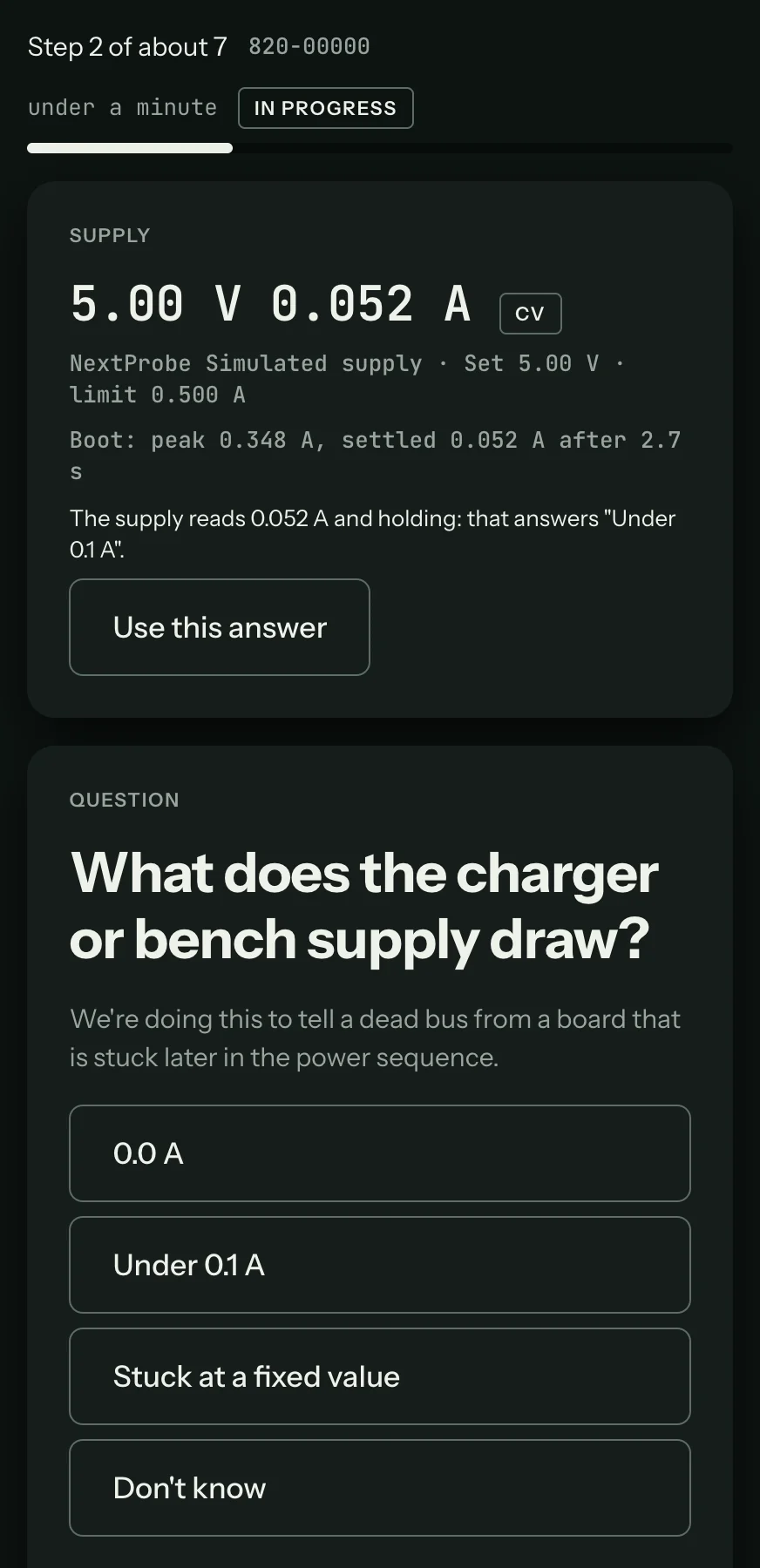
From the moment the output goes on, the bench records the boot current for about ten seconds: the peak, the current it settles at and how long it took to settle. The curve goes on the session's timeline. On the question "What does the charger or bench supply draw?", the bench suggests the answer the current falls in, with Use this answer. You confirm it, or pick another answer yourself.
Something not working?
See Troubleshooting: bench supplies, or get help.