

Appearance
The safety check
Some steps need the board in a particular power state, and some carry a warning: a battery that must be out, a hot part, mains nearby. These steps show a "Before you probe" panel with the warning and the power state the step needs.
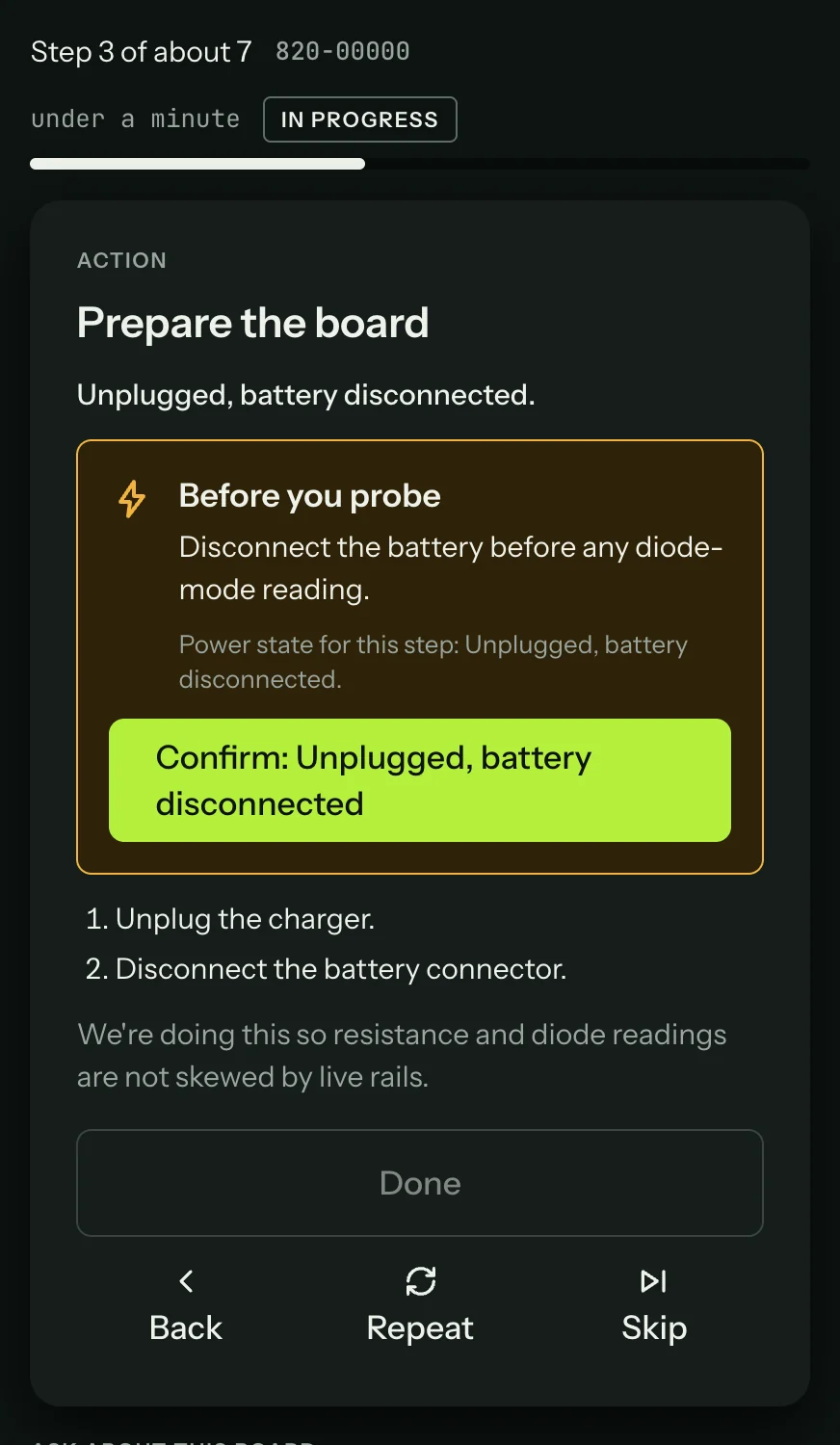
Power before probing
Diode and resistance readings on a powered board are wrong, and a probe that slips on a live board can short a rail. Set the power state the panel names before you touch the board.
Read it, set the board up, and press Confirm. Until you do, the bench takes no reading on that step: the Reading panel says "Confirm the power state first" and waits. Voice commands and the pedal can't confirm it for you; it needs a deliberate press.
Something not working?
See Troubleshooting: sessions, or get help.