

Appearance
Record the repair and retest
Do the repair, then press Record the repair. The sheet fills in the part from the diagnosis; change it if you replaced something else.
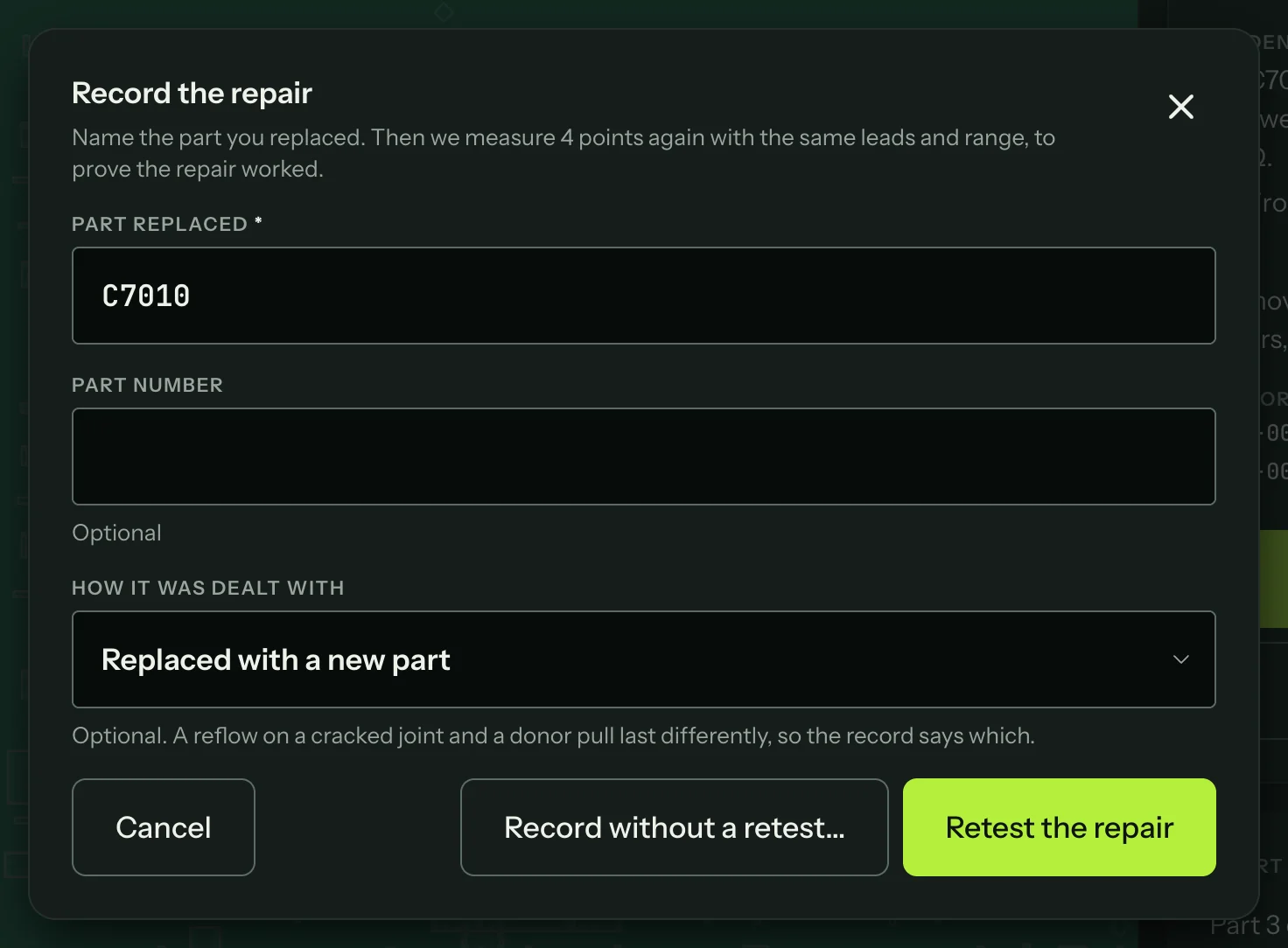
| Field | What to put |
|---|---|
| Part replaced | The reference on the board. Required. |
| Part number | Optional. Filled in from the diagnosis when it names one. |
| How it was dealt with | Optional: Replaced with a new part, Replaced with a donor part, Reballed, Reflowed, Jumper fitted, Cleaned or Other. A reflow and a donor part last differently, so the record says which. |
Then choose:
- Retest the repair, the main action. The sheet says how many points will be measured again.
- Record without a retest, when a retest isn't possible. It asks once more before it records the repair, and the reports then say "Fixed, not retested".
The retest
A retest proves the repair. Every point that read out of range during the session is measured again as a guided step, with the same leads, mode, power state and range as before. The chip at the top of each step says where you are ("Retest 1 of 4") above the step's own title, and the step reminds you what the point read before the repair.
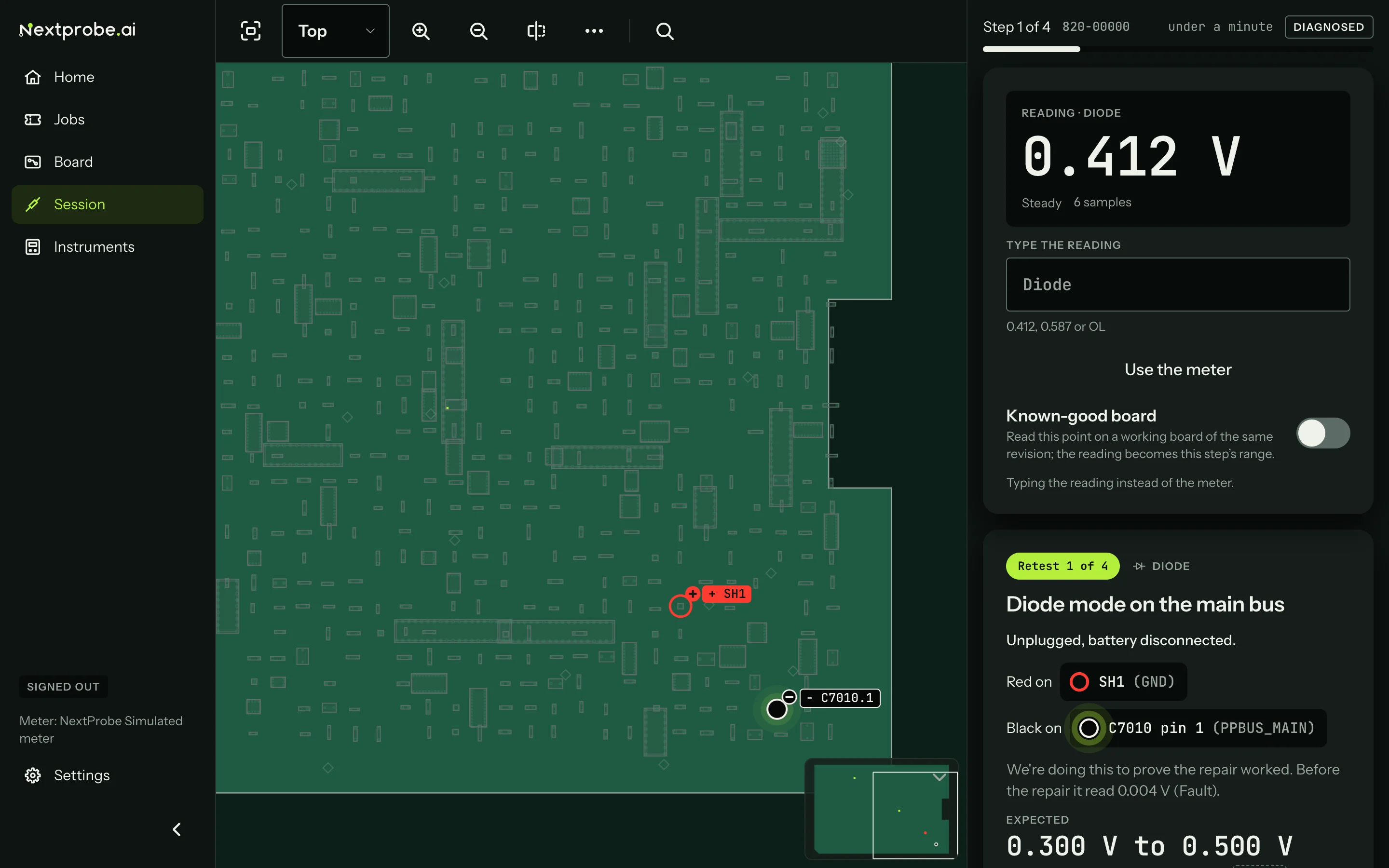
The retest uses every rule a normal step does, including the safety check and the probe-moved check.
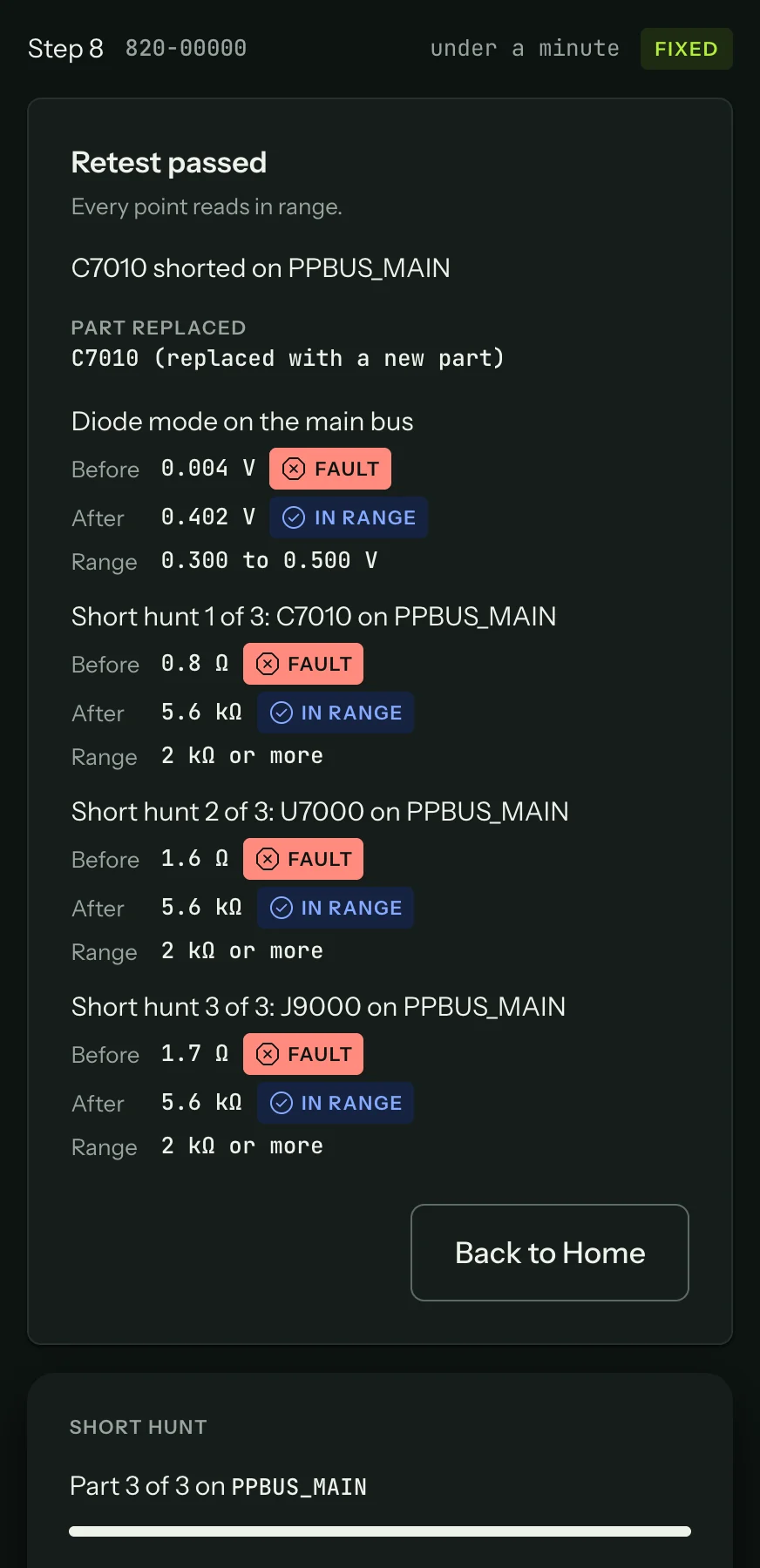
When every point reads in range, the session is Fixed. The card shows "Retest passed", the part replaced, and each point before and after the repair:
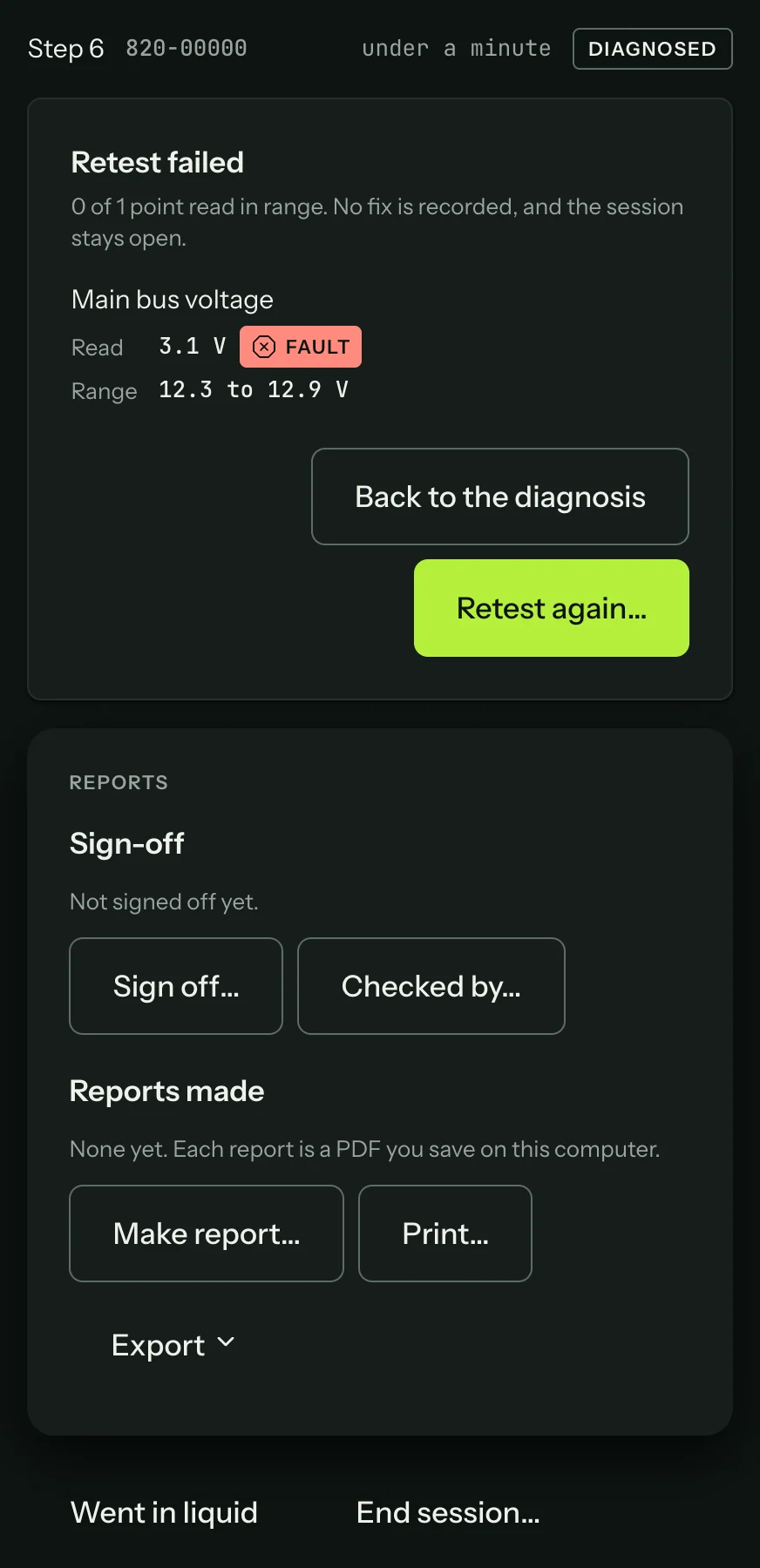
If a point is still out of range, the retest fails and says which point. The session stays open, so you can carry on diagnosing from there. A later fix can be retested again.
After the fix
Back to Home closes the session screen. The session stays in Recent sessions.
Reports (Reports) sit under the result: sign the work off, have it checked, and make the tech report, customer report and job sheet.
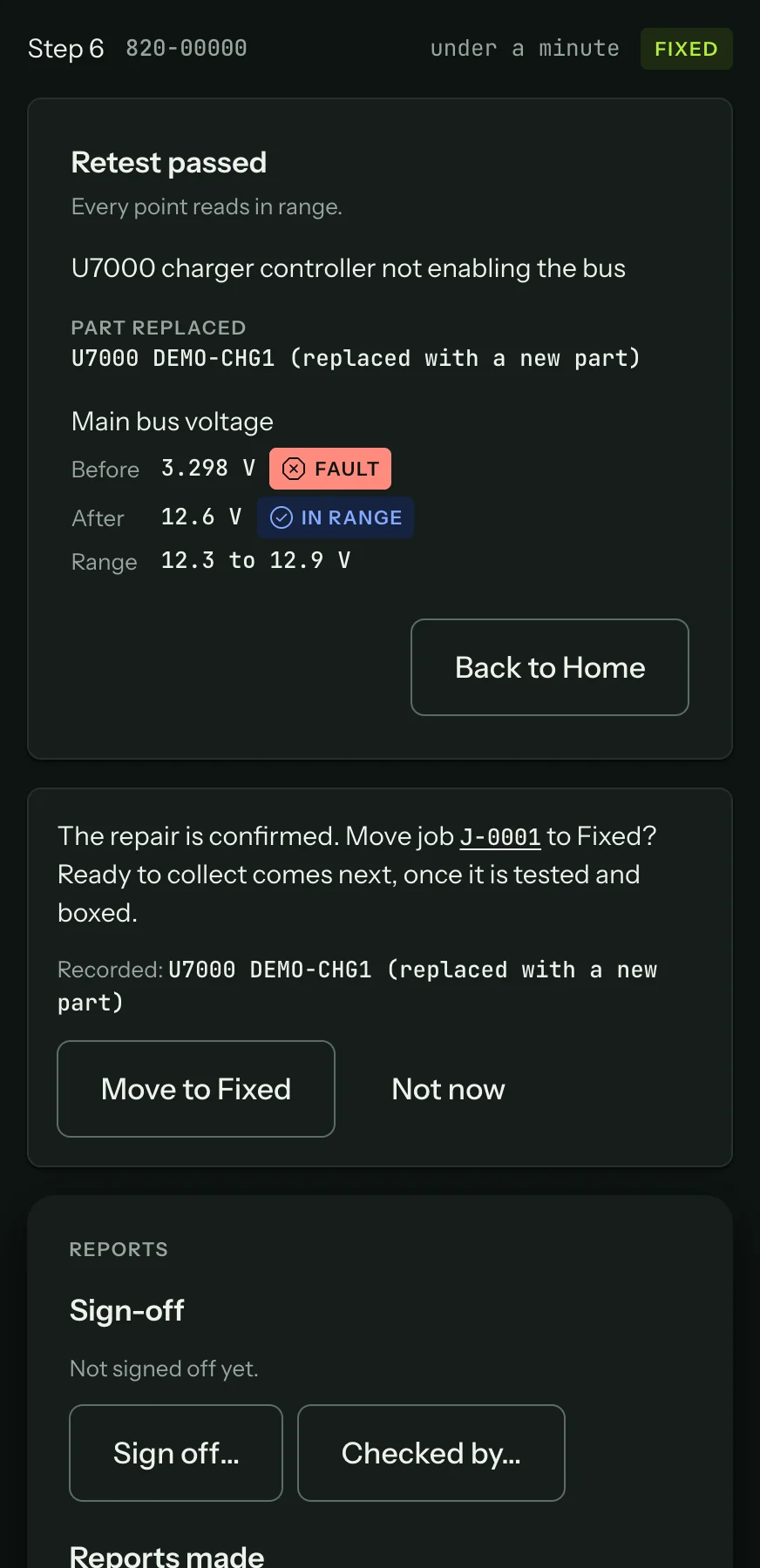
If the session belongs to a job, the job and the session screen offer Move to Fixed, naming the parts the repair recorded. The job's next status, Ready to collect, is yours to choose (Fix and close a job).
Once the bench syncs, the repair becomes an anonymised fix record that helps the next tech on the same board, if your workspace contributes readings.