

Appearance
When the fault tree runs out
A fault tree covers the common paths, and sometimes a board goes past the end of it. The session then says "The tree has run out", with the reason:
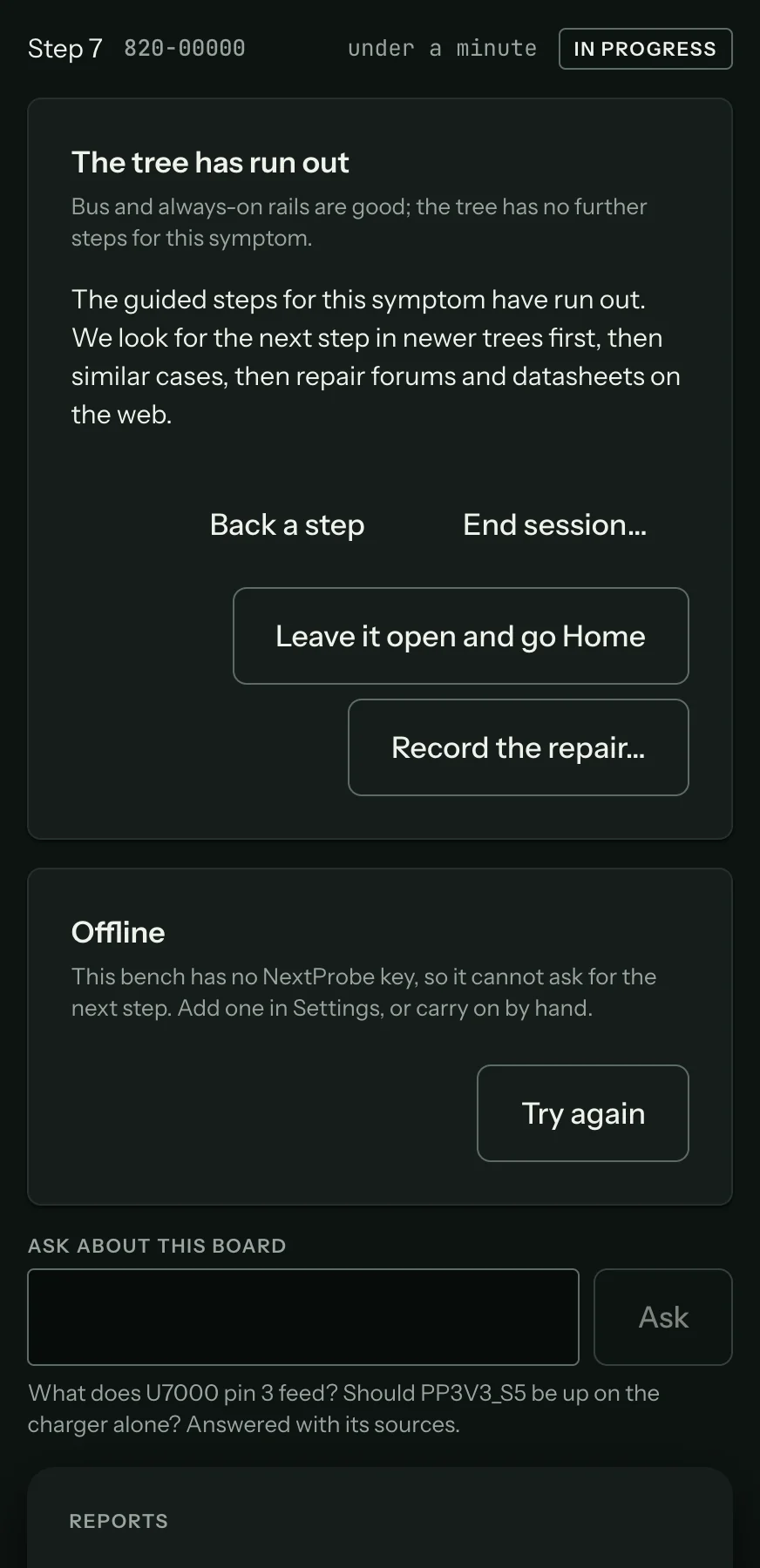
When the bench is signed in and online, NextProbe looks for the next step in this order:
- Newer fault trees for the board.
- Similar cases: confirmed repairs from other techs whose readings match yours, such as "Seen 14 times, fixed by
C622", with the readings that matched. - A short web search of trusted repair forums and chip makers' sites. It sends only the board number, the net, the mode, the reading, its verdict and your symptom answers.
Web findings come back on a card labelled "From the web", each linked to the page it came from, with a lower confidence than NextProbe's own data. They never change a reference value. Press Add this step on a check to run it with the leads lit as usual, or ignore it. Search deeper runs a wider search when you ask for it. While a search runs, a progress card shows and you can carry on by hand.
From here on, the session keeps a suspect list: each possible cause, where it came from (the tree, a case or the web) and whether it is still open, ruled out or confirmed. An in-range reading rules out the suspects that check was testing. The next check offered is the one that rules out the most for the least work. When one suspect is left, it becomes the diagnosis.
A fix found this way goes back to the NextProbe team, who can add it to the fault tree so the next tech gets it without a search.
Your other choices on the card:
- Back a step, to revisit a reading you doubt.
- Record the repair, if you have found the fault yourself (Record the repair and retest).
- Leave it open and go Home, to come back later.
- End session.
If the bench is signed out or offline, it can't ask for the next step and says so. Carry on by hand with Measure here, or end the session.