

Appearance
Send the customer report
Once the bench has synced, the session's reports are also in the web app. From there you can download them or create a share link for the customer, which opens the customer report in any browser with no sign-in, and shows you when the customer has opened it, as described below.
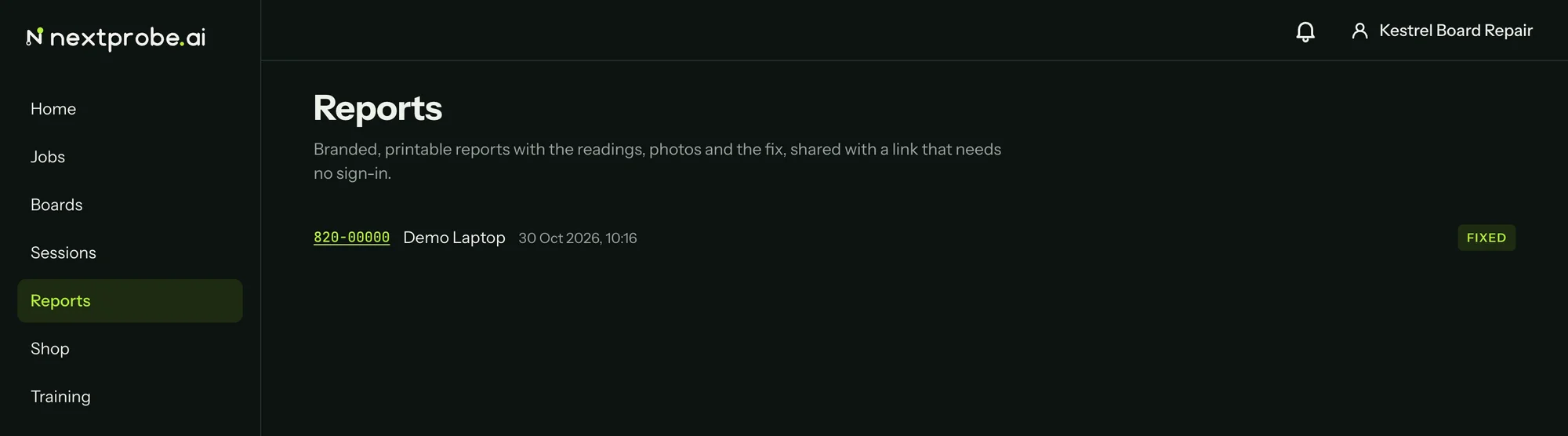
Reports
Reports lists the sessions that reached a diagnosis or a fix. Open one to see its customer report as the customer will.
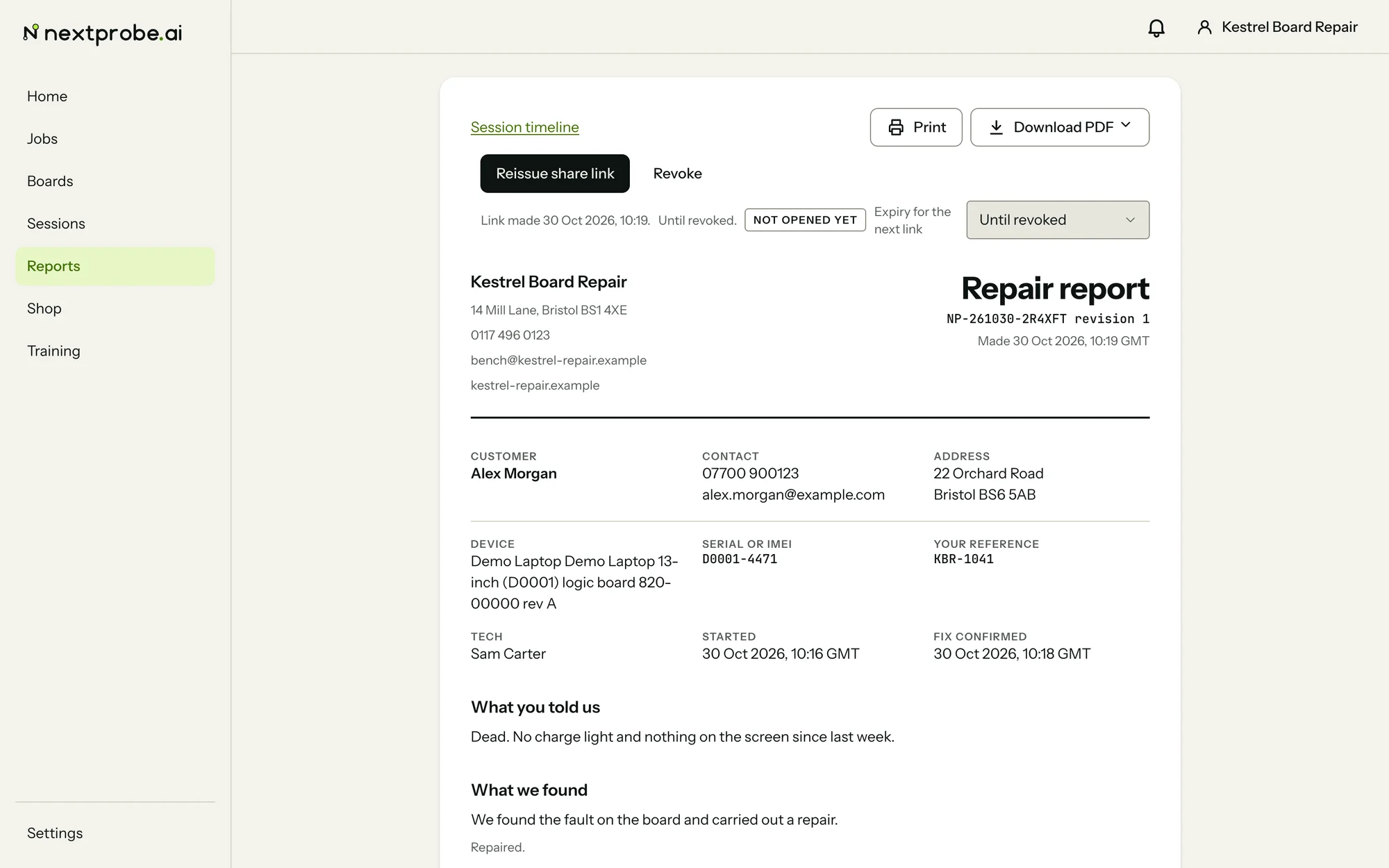
The report page is printable and always in the light theme. It is headed with your shop's name, address and contact details from the workspace, and carries the report number, the revision and the time it was made. Below that are the customer, the device and serial, your job reference, the tech, the dates, and the sections the customer reads: What you told us, What we found, What we did, What we checked, Tests after the repair and Photos, with the sign-offs at the foot.
The buttons at the top:
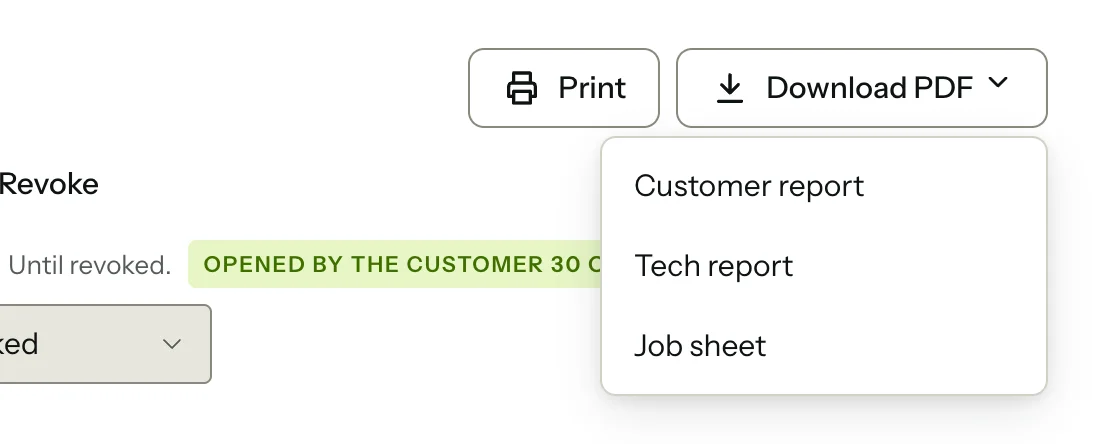
- Print sends the page to your printer.
- Download PDF offers the Customer report, the Tech report or the Job sheet (Reports explains what each one holds).
- Create share link makes a link the customer can open without an account. Choose how long it lasts first: Until revoked, 7 days, 30 days or 90 days.
Once a link exists, the page shows it with Copy share link, Reissue and Revoke, when it was made and when it lapses. A badge reads "Not opened yet" until the customer opens it, then "Opened by the customer" with the time. Reissue makes a new link and stops the old one working, for when you sent it to the wrong person. Revoke stops it working altogether, after you confirm.
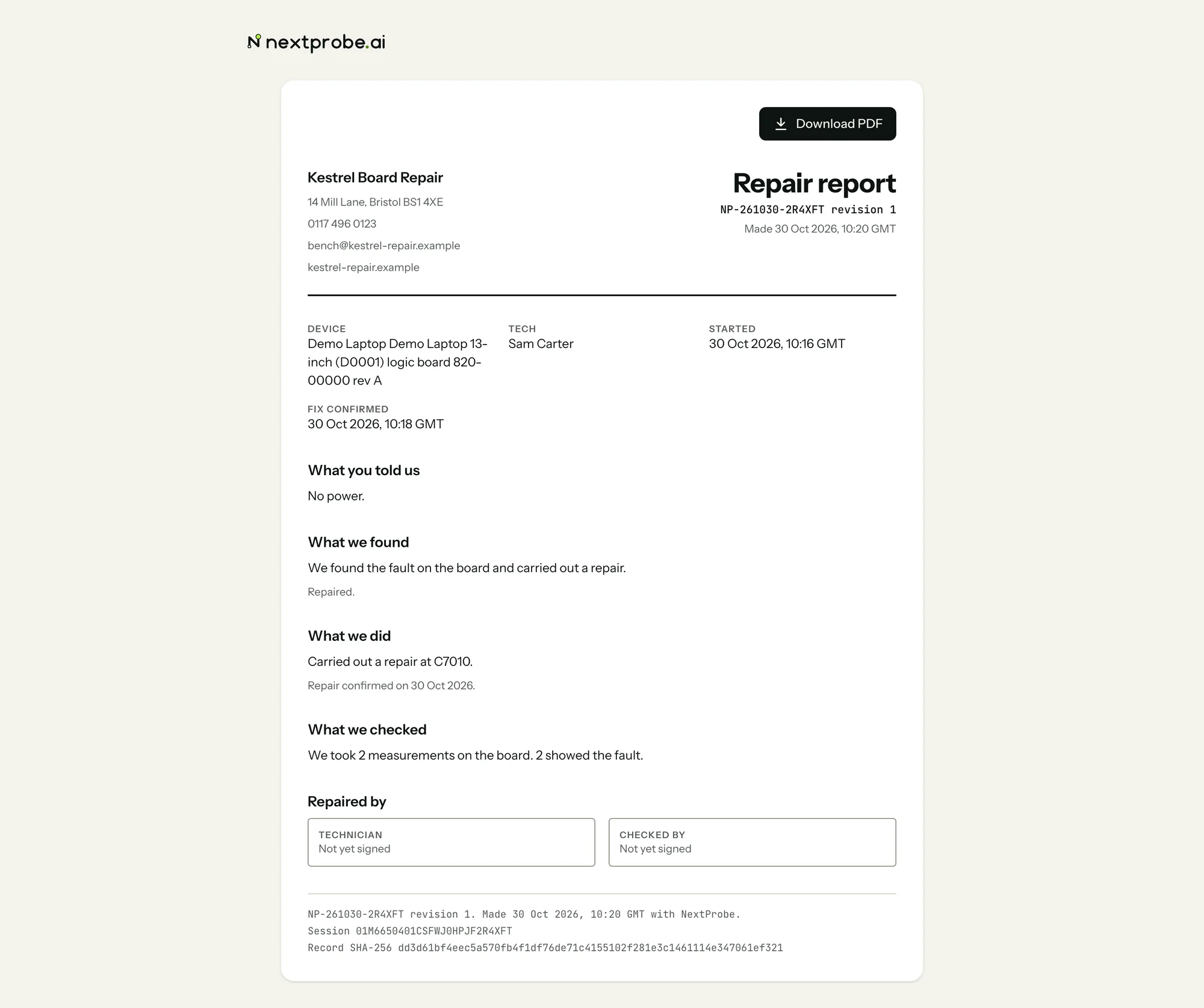
What the customer sees
The customer opens the link in any browser, with no account and no sign-in. They see the report with your letterhead and one button, Download PDF. The shared page leaves out their contact details and your notes.
If the link has expired or been revoked, the customer sees "This report could not be loaded" and is asked to get a fresh link from the shop. A link opened many times in a short spell says "This link was opened too many times in a short spell"; it works again after a short wait.