

Appearance
Questions and steps
A session is a run of steps, one at a time in the step column. There are four kinds, and each asks for something different.
Questions
A session usually opens with up to three quick questions about what the board does: the charge light's colour, what the charger or bench supply draws, whether the fan spins. Each answer sends the session down a different branch, so answer what you see, and pick Don't know when you can't tell.
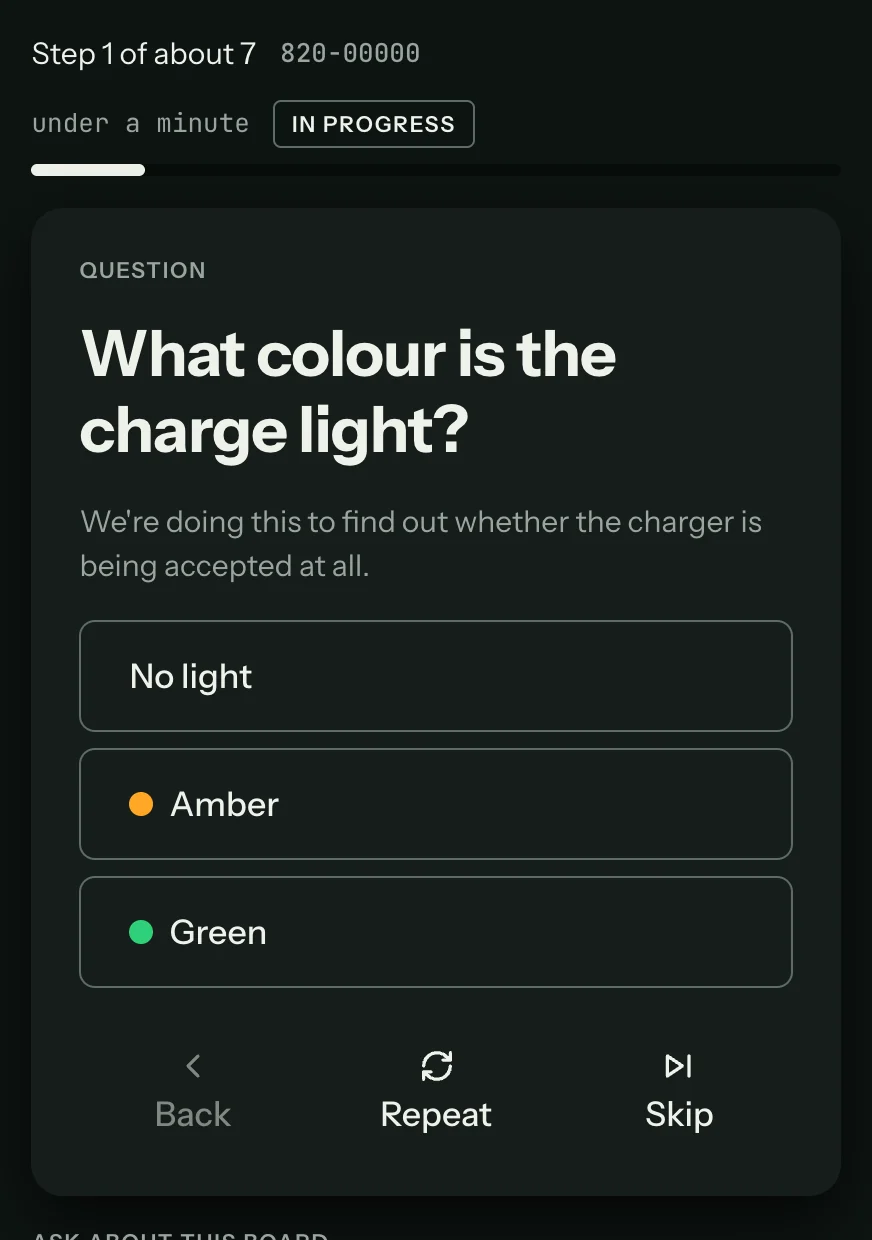
Press an answer, or its number key (1 to 4). Back returns to the previous question with your earlier answer picked.
Action steps
An action step asks you to do something before the next reading, such as unplugging the charger or disconnecting the battery. It lists what to do, in order, and why. Press Done (or Space) when it is done.
Inspect steps
An inspect step asks you to look at the board (a part, a connector, signs of heat or corrosion) and say what you see. The first answer is the most common one, so it is the one Space picks.
Measure steps
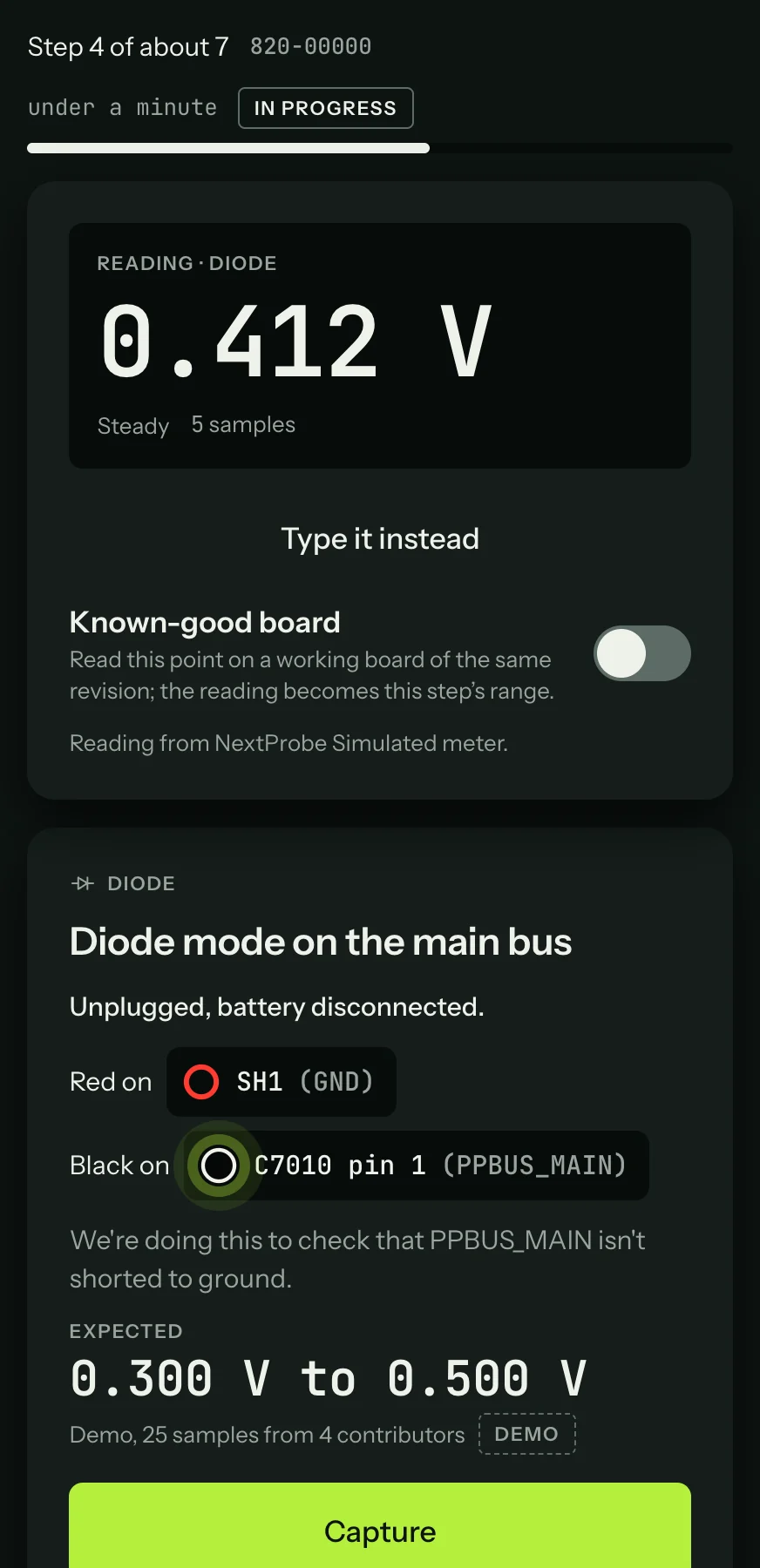
A measure step is a reading. It tells you everything you need to take it:
| Part of the card | What it tells you |
|---|---|
| Mode | The meter mode, such as DIODE or DC VOLTAGE, with its icon. A meter the bench drives switches to it by itself. On any other meter, set the mode yourself. |
| Title | What is being measured: "Diode mode on the main bus". |
| Power state | How the board must be powered: "Unplugged, battery disconnected", "Charger connected, battery disconnected" and so on. |
| Red on, Black on | Exactly where each lead goes, by part and pin, with the net in brackets. |
| Why | One line on what the reading proves: "We're doing this to check that PPBUS_MAIN isn't shorted to ground." |
| Expected | The range the reading should fall in, and where the range came from: readings from other techs ("25 samples from 4 contributors"), the board's profile, a datasheet or a pinout. |